ExpressGST
Download Complete ITC Transactional Data
One of the key aspects of GST compliance is managing Input Tax Credit (ITC) accurately. With our latest feature update, you can now download the complete transa...
Read More →Category articles from KDK Software blog.
One of the key aspects of GST compliance is managing Input Tax Credit (ITC) accurately. With our latest feature update, you can now download the complete transa...
Read More →
he Income Tax Return (ITR) is a form used by taxpayers to file information about their income and tax with the tax authorities. It is a document that taxpayers ...
Read More →Using KDK Zen Income Tax On this page Introduction To select the LLP status in Income tax Auditor Software, please follow the steps provided below: Introduction...
Read More →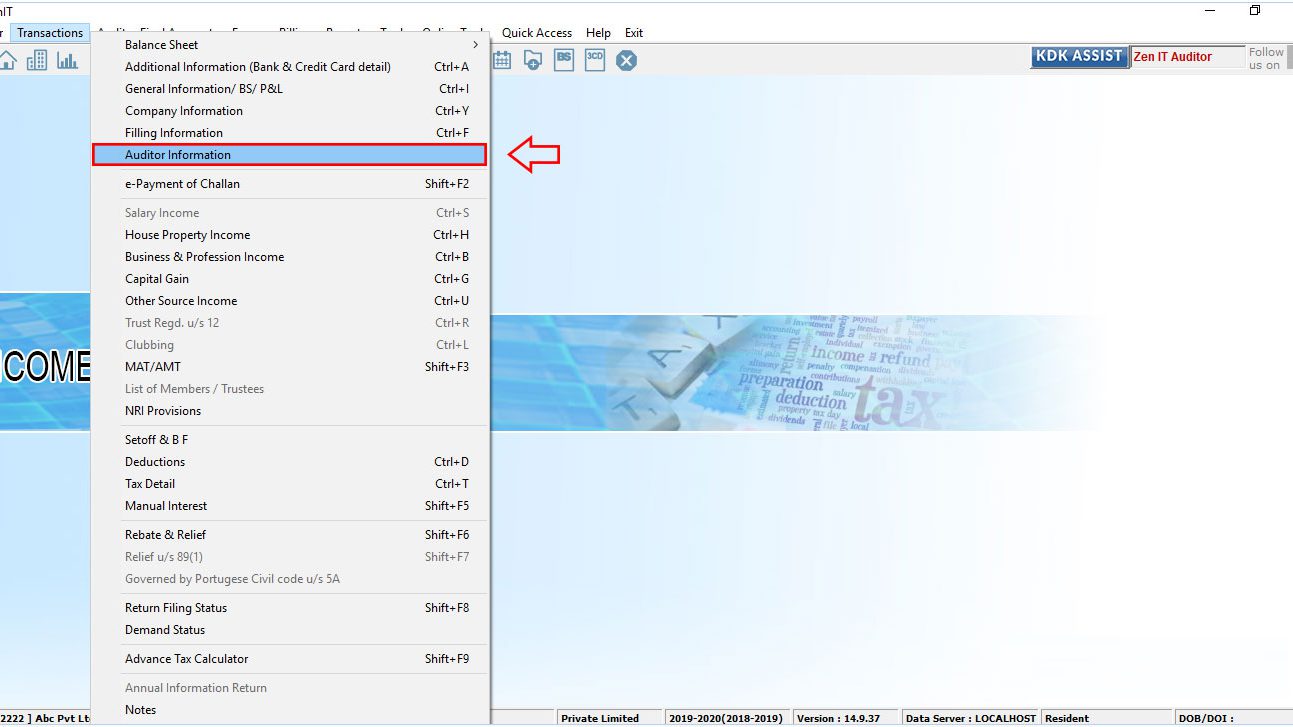
Unique Document Identification Number (UDIN) is a unique number generated on the UDIN Portal for every certificate and other such documents that have been attes...
Read More →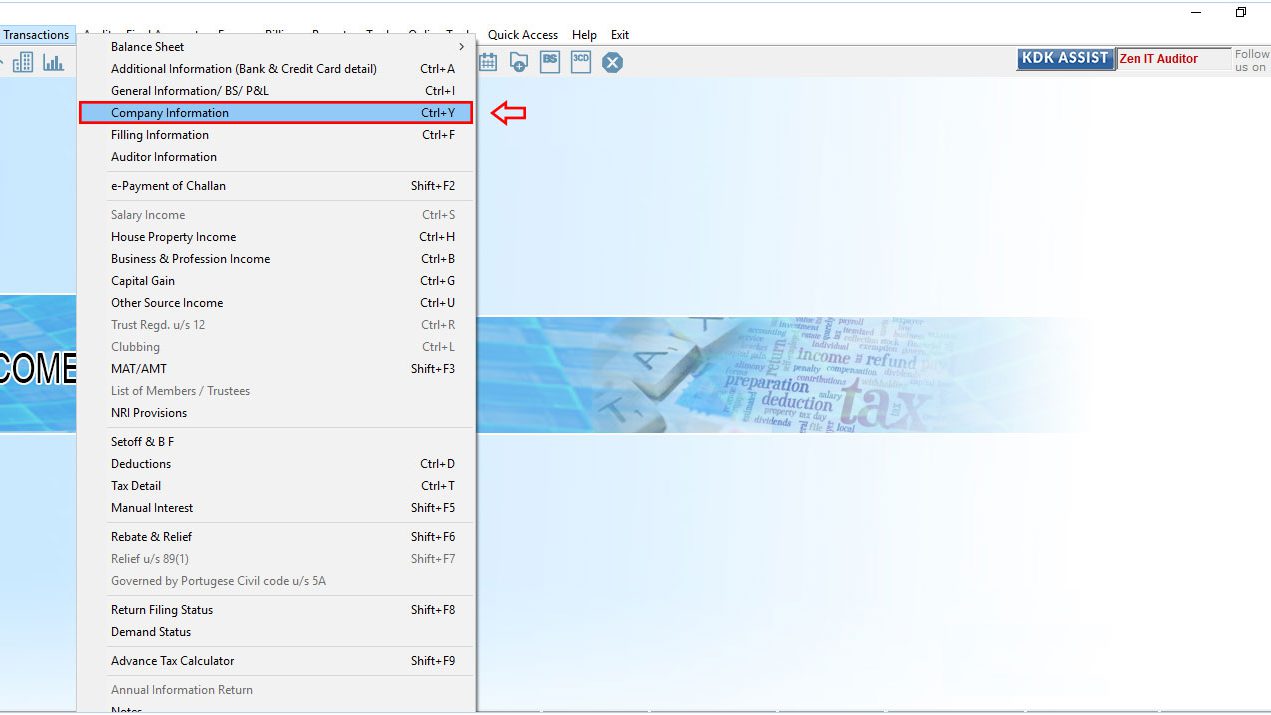
In A.Y. 2018-19 the IT Department added a new schedule balance sheet – Ind AS and P&L A/c. Ind AS in ITR – 6 form. The Part A-BS-Ind AS and Part A-P&L-Ind AS ar...
Read More →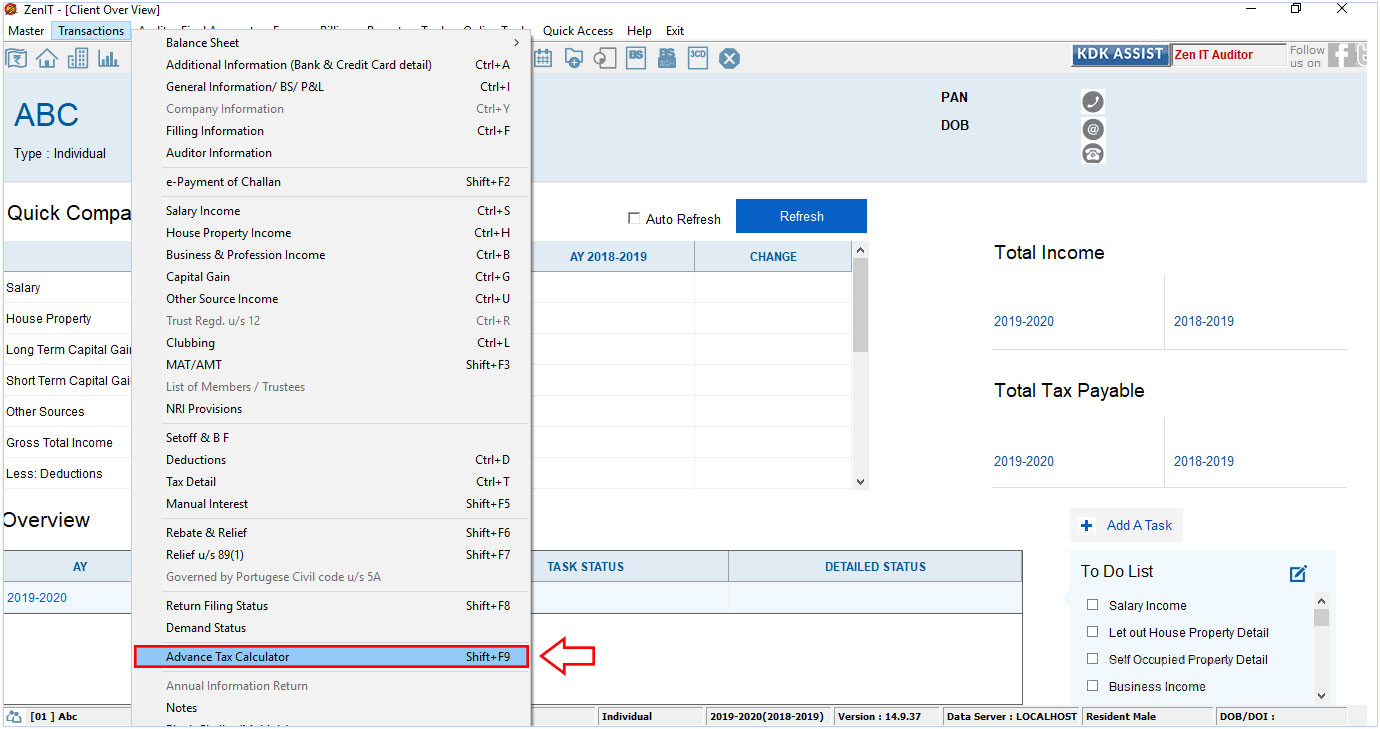
Any person having an estimated tax liability of Rs. 10,000 or more in a year is required to pay tax in advance. Advance tax applies to all the taxpayers, salari...
Read More →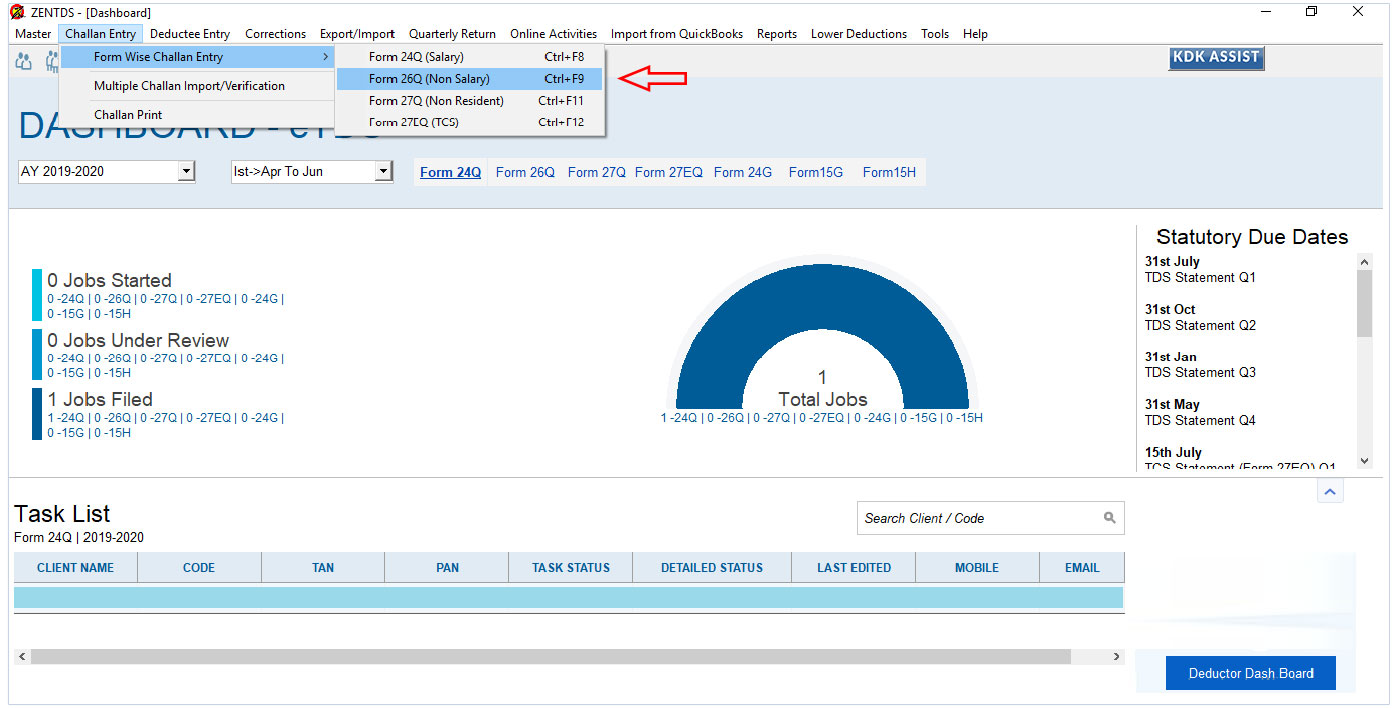
As per NSDL, TDS Return guideline and RPU Return flow, it is not possible to adjust multiple challan with one dedcutee entry. Possible solution is user can bifu...
Read More →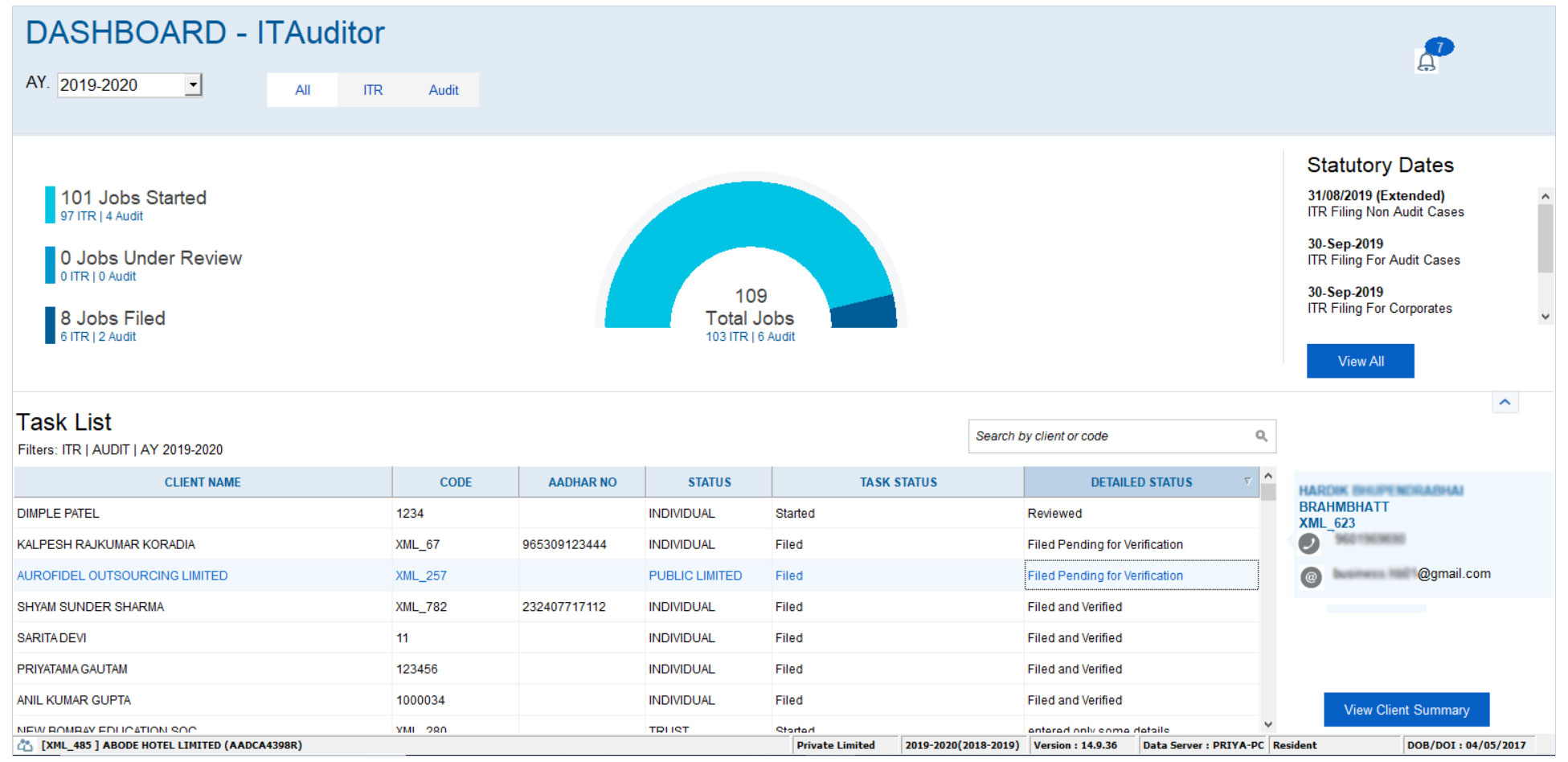
This dashboard gives a brief note on which assessee details have been started, submitted, verified etc. The notification such as Birthday remainder, Statutory D...
Read More →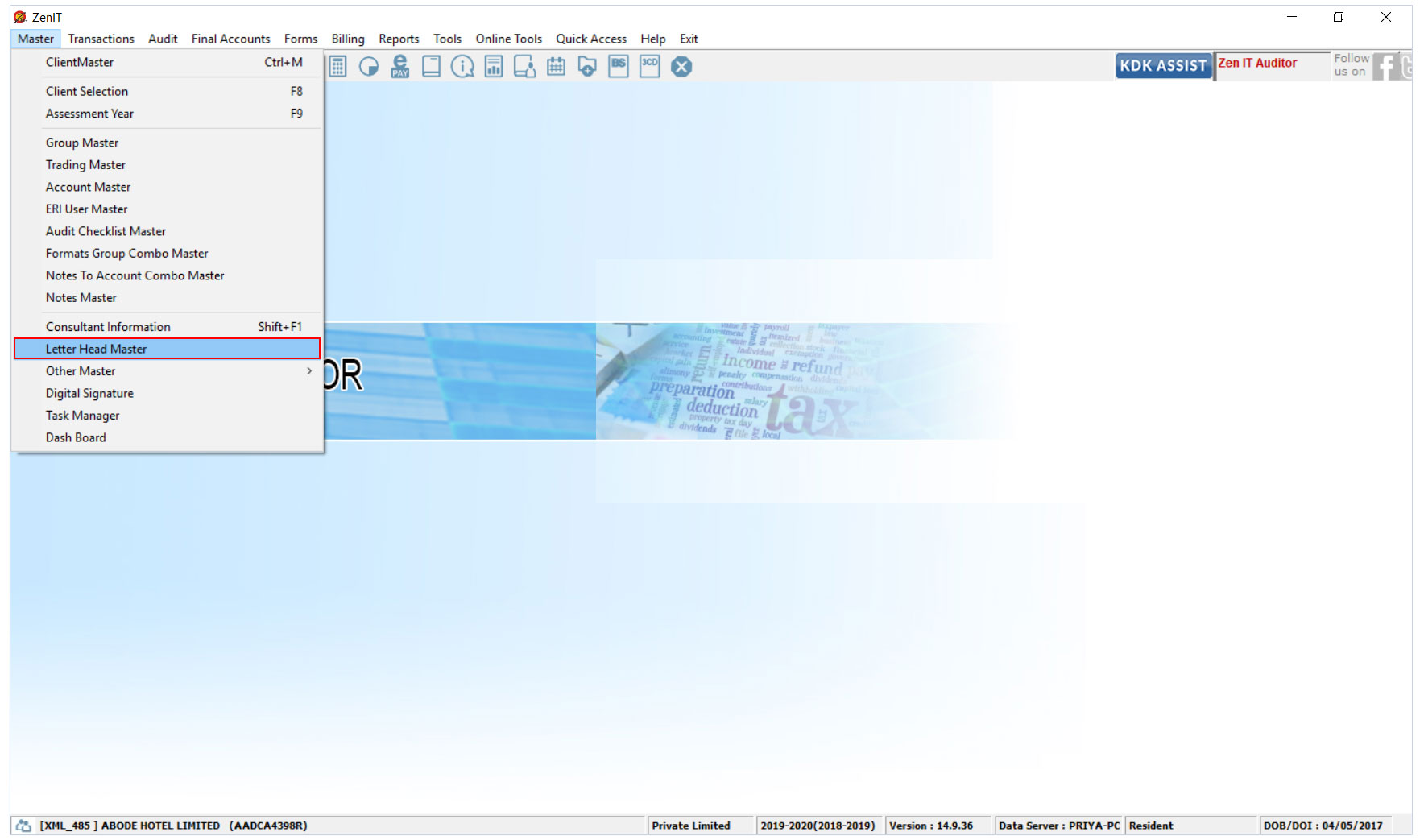
The Income Tax Auditor Software allows the user to use predefined templates for Letter Head along with an option for manual input. There are almost 13 templates...
Read More →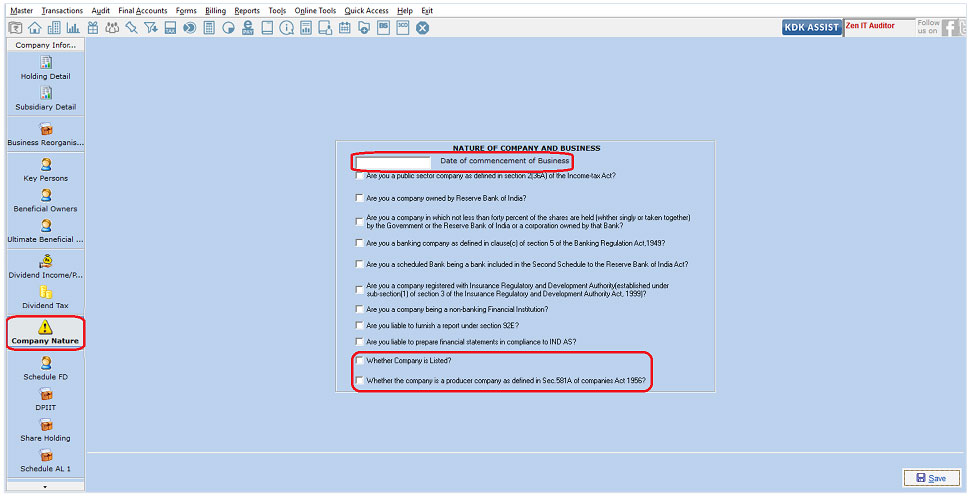
ITR-6 Form is exclusively used by companies which are not claiming an exemption under section 11 (Income from property held for charitable or religious purposes...
Read More →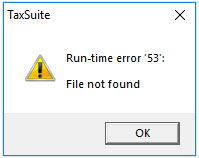
Run time error ’53’ on opening TAXSUIT Software, normally occurs when the Spectrum.exe is missing at the location where the Taxsuit software is installed. It ca...
Read More →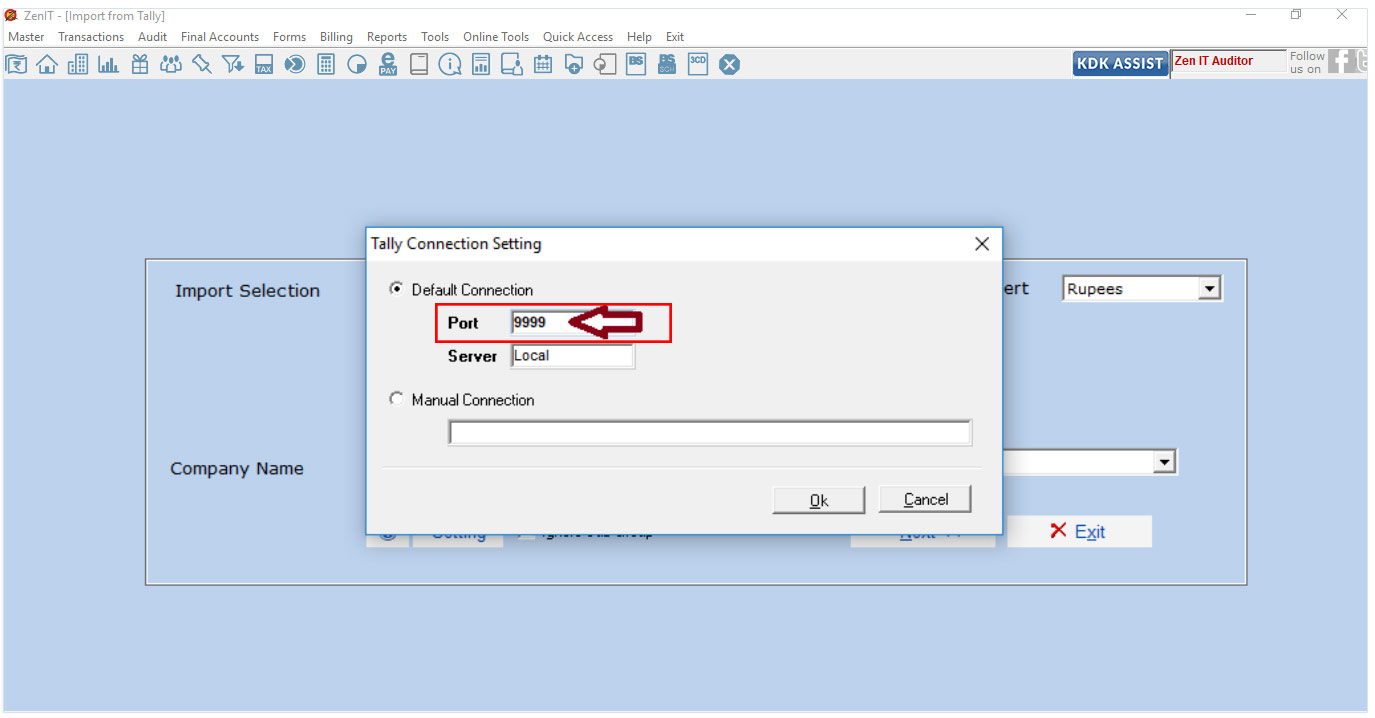
Below error message appears when user tries to import trial balance from Tally.ERP 9 to Income Tax Auditor Software.This happens when ODBC and Tally.ERP 9 are n...
Read More →
Prerequisites to file 27Q (A non-resident, who does not have PAN, can avoid higher TDS deduction) Relaxation from deduction of tax at higher rate under section ...
Read More →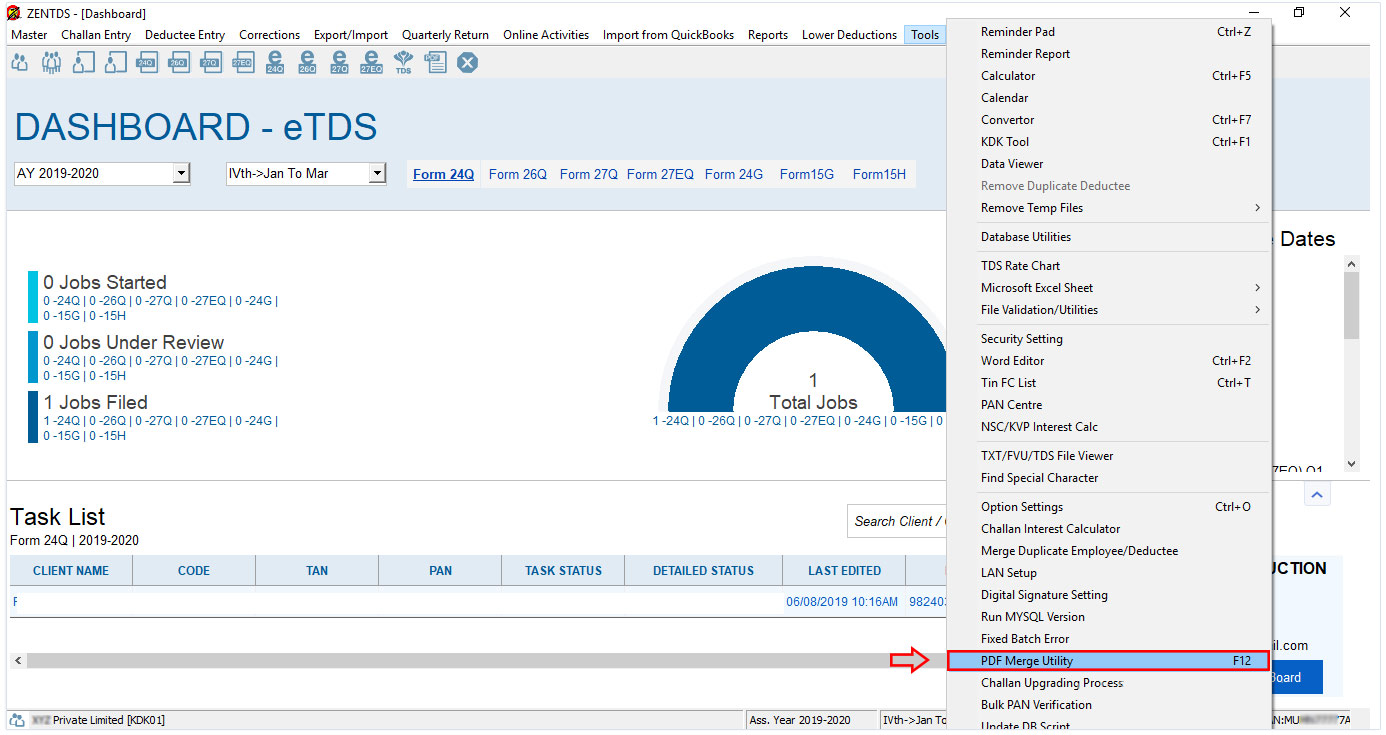
Conditions where Form 16 Part-A and Part-B would not merge The TDS Software has provided a feature of merging the Form 16 Part-A and Part-B generated from the w...
Read More →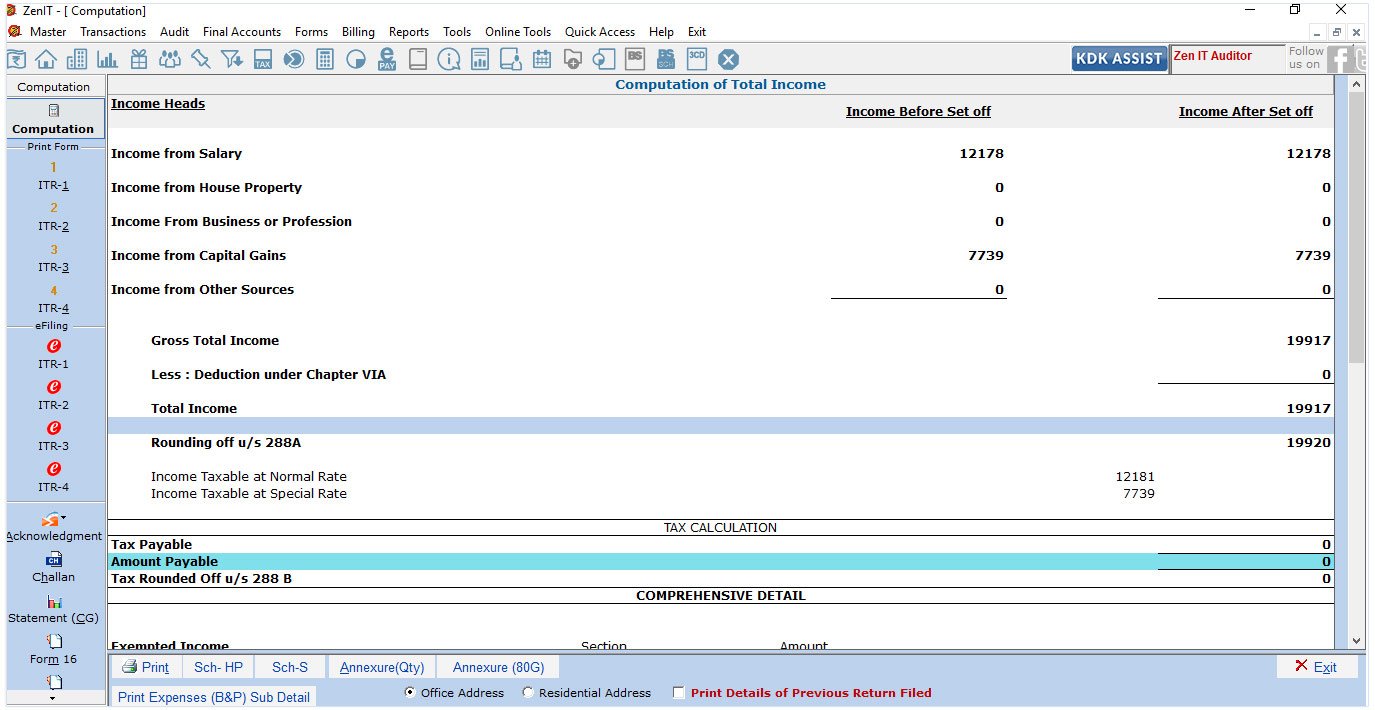
What to do when the Income Tax Software does not suggest any ITR form in the case of an Individual? Income Tax Software has a feature that suggests which ITR ha...
Read More →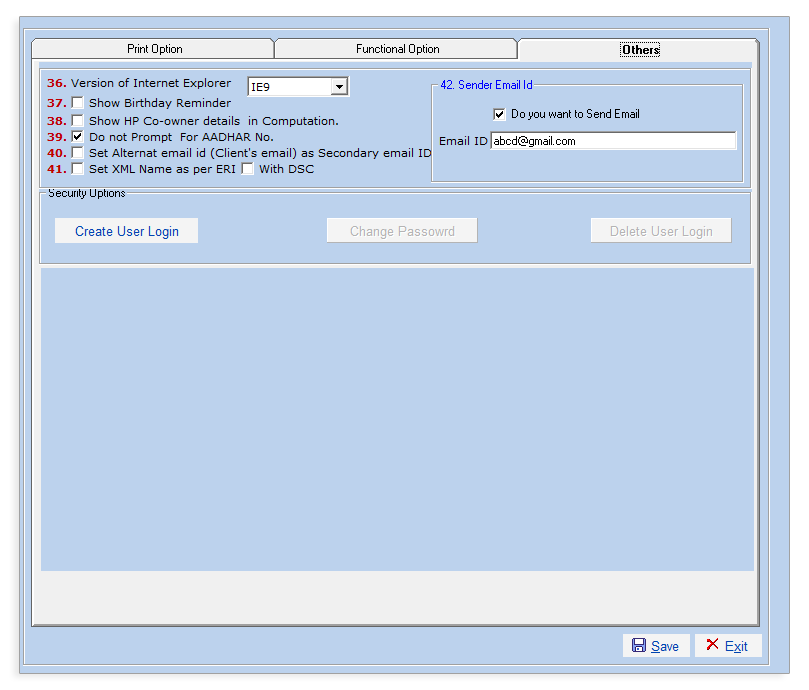
This feature is a newly introduced feature in the Income Tax Auditor which helps the user to send Reports, Computation and ITR-V to the client. This feature als...
Read More →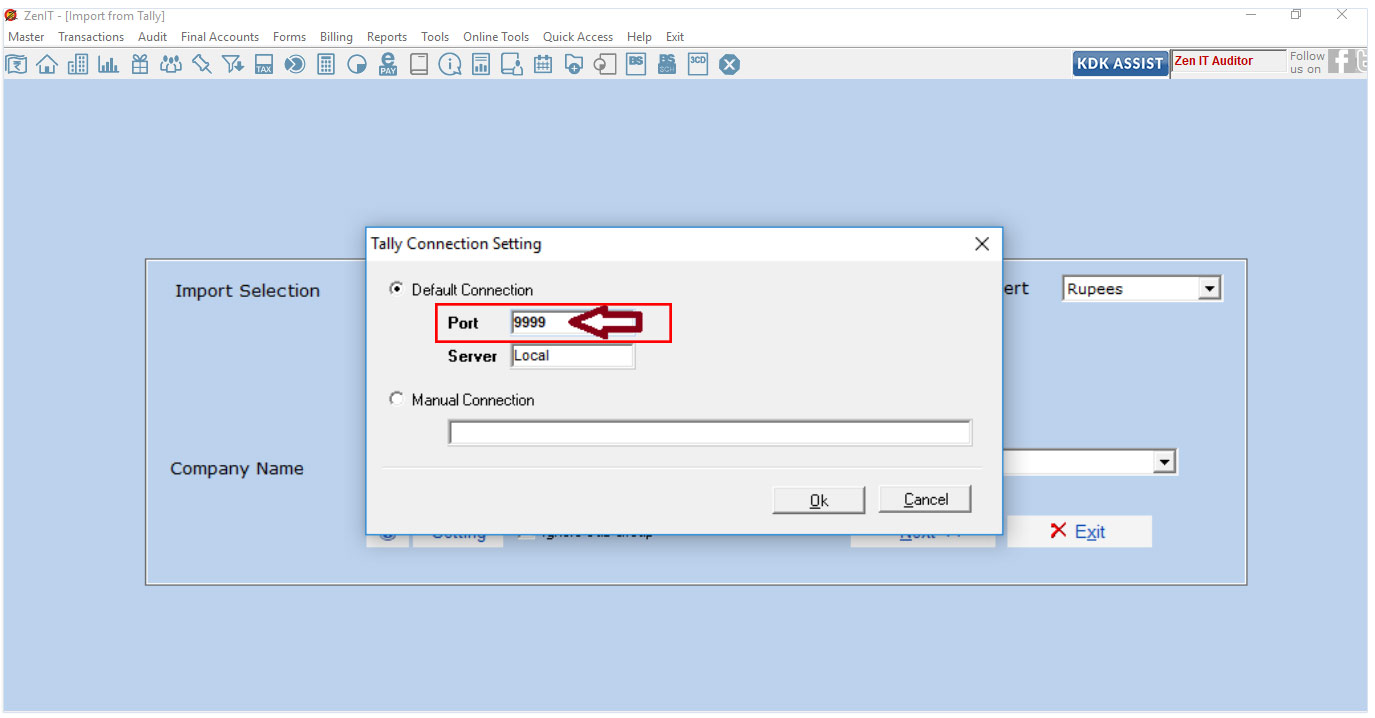
Software provides an option to import data directly from Tally to IT Auditor Software. Below error message appears when user tries to import trial balance from ...
Read More →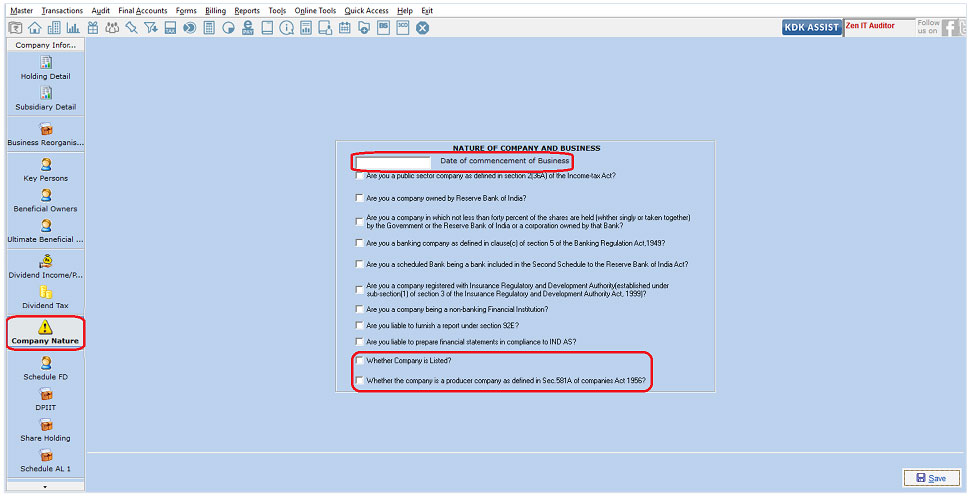
ITR-6 Form is exclusively used by companies which are not claiming exemption under section 11 (Income from property held for charitable or religious purposes) w...
Read More →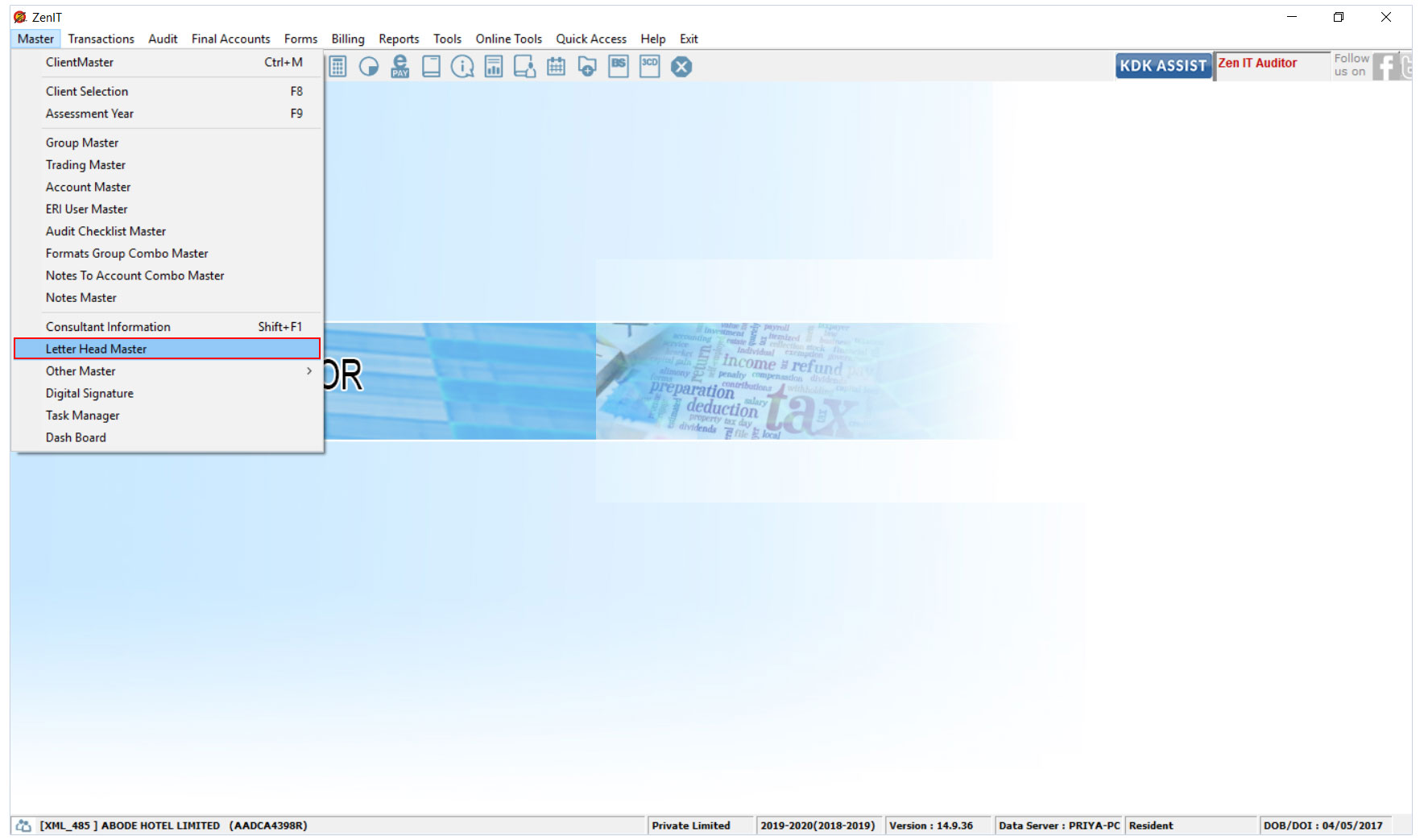
Letter Head Master: An Introduction The Income Tax Auditor Software allows the user to use predefined templates for Letter Head along with an option for manual ...
Read More →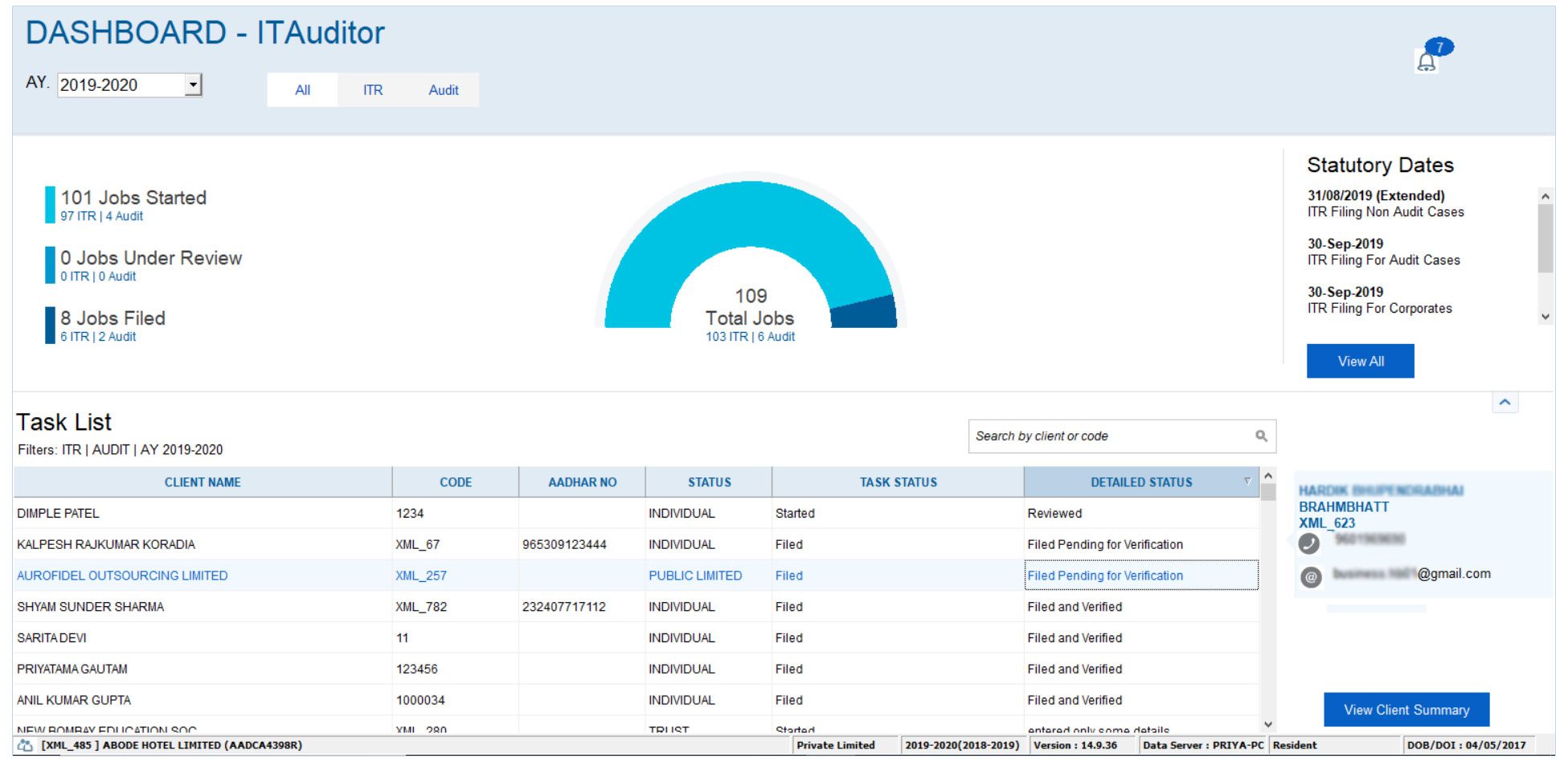
The Income Tax Auditor Software has introduced a new feature wherein the client can access his client’s filed, e-verified, reviewed ITR’s etc, all through a sin...
Read More →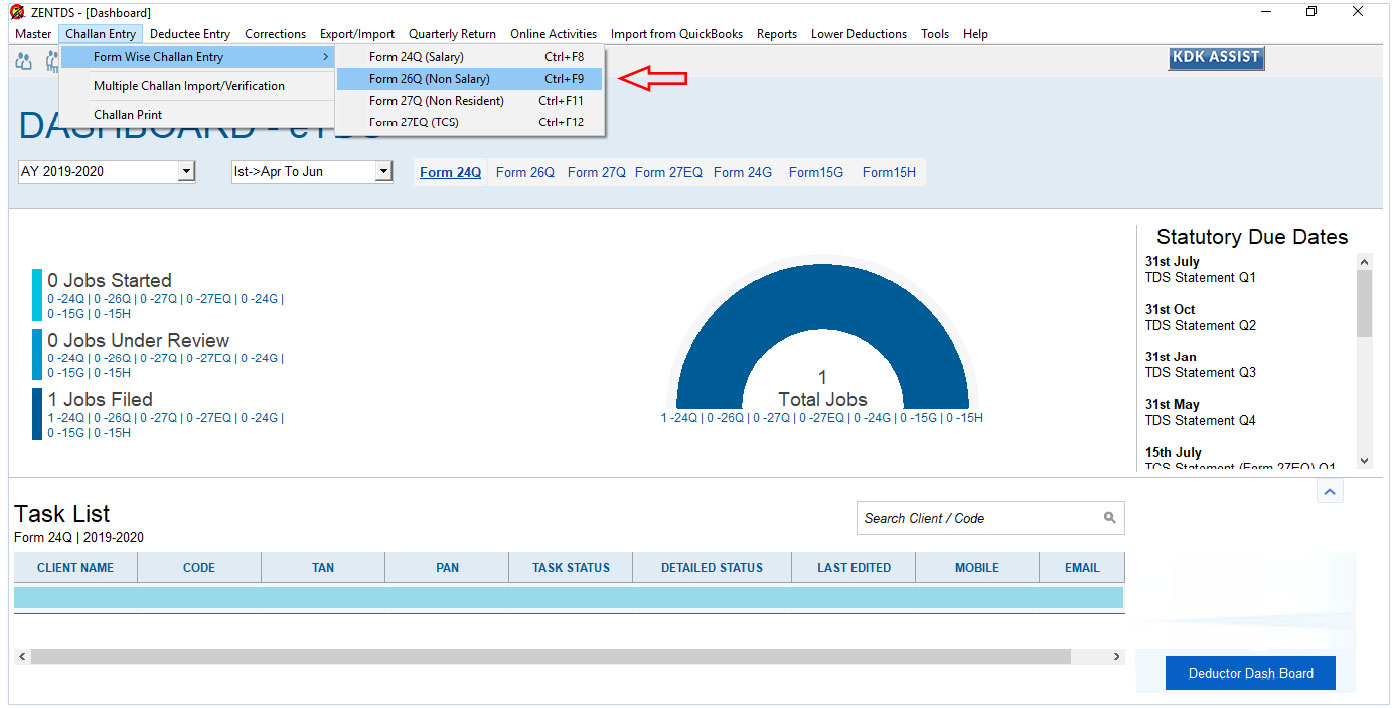
As per NSDL, TDS Return guideline and RPU Return flow, it is not possible to adjust multiple challan with one dedcutee entry. Possible solution is user can bifu...
Read More →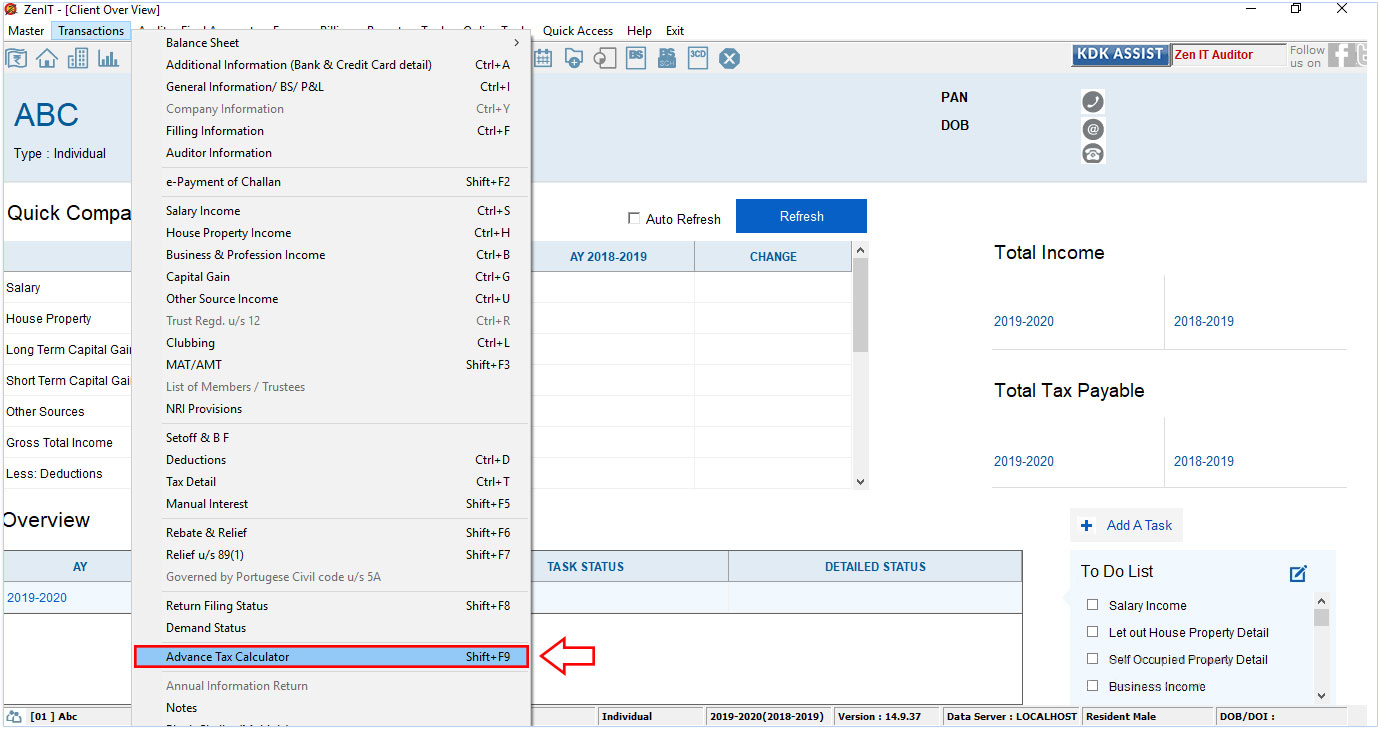
Table of contents FY 2019-20 & FY 2018-19 for both individual and corporate taxpayers To calculate and generate the Advance Tax Challan, please follow the steps...
Read More →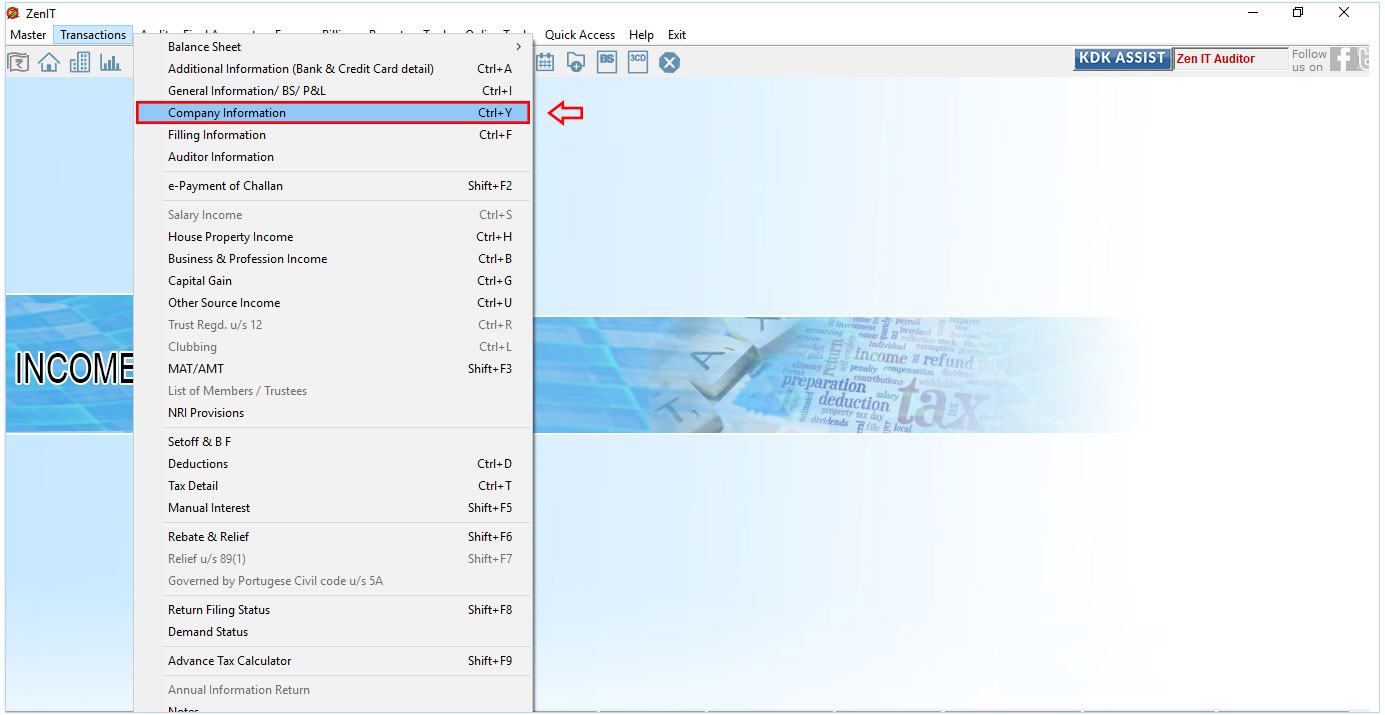
In A.Y. 2018-19 the IT Department added a new schedule balance sheet – Ind AS and P&L A/c. Ind AS in ITR – 6 form. The Part A-BS-Ind AS and Part A-P&L-Ind AS ar...
Read More →Table of contents To Feed UDIN Number, please follow the steps provided below. Step 1: Step 2: Step 3: For Company Case What is UDIN?Unique Document Identificat...
Read More →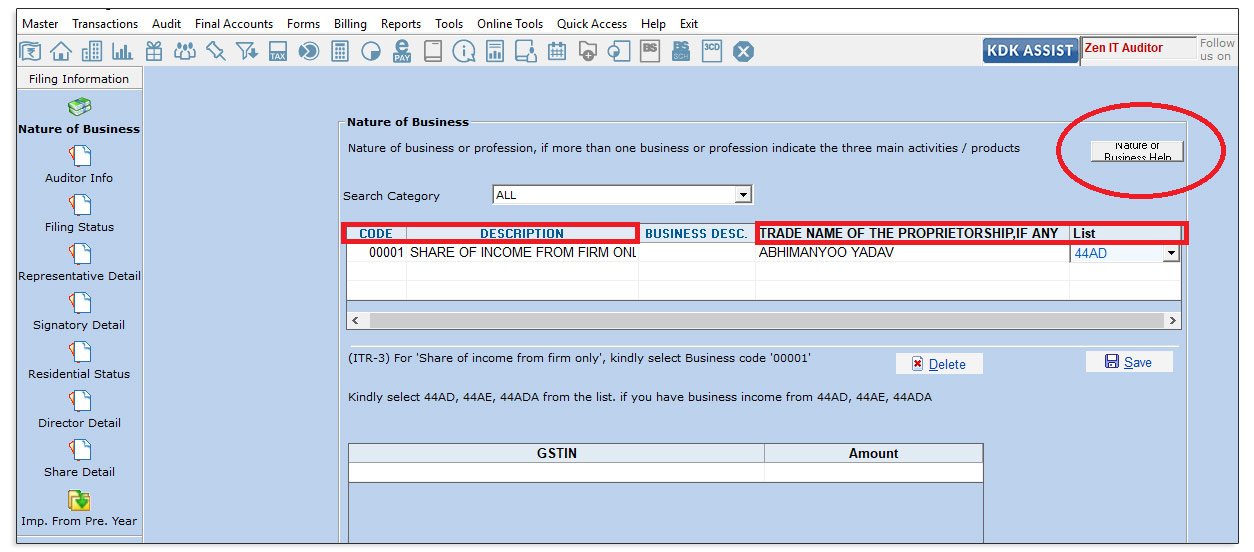
Table of contents A flow is being suggested for entering the information under section 44AD, AE, ADA Business in case of ITR 4 filing 1. Steps to be followed: F...
Read More →
Table of contents Introduction to Section 112A – Income Tax on Long Term Capital Gain In the Finance Bill 2018, the government has come up with an insertion to ...
Read More →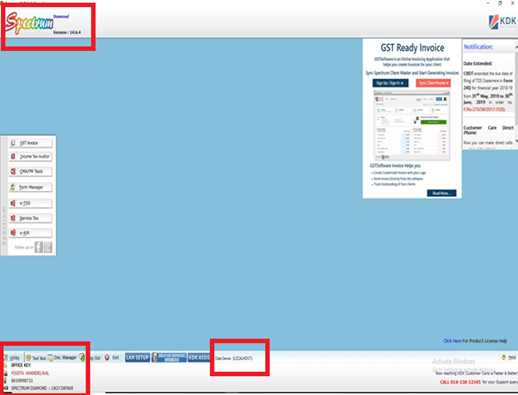
Table of contents WHAT IS LAN SETTING AND ITS OBJECTIVE LAN SETTING PROCESS WHAT IS LAN SETTING AND ITS OBJECTIVE LAN (Local Area Network) setup is developed by...
Read More →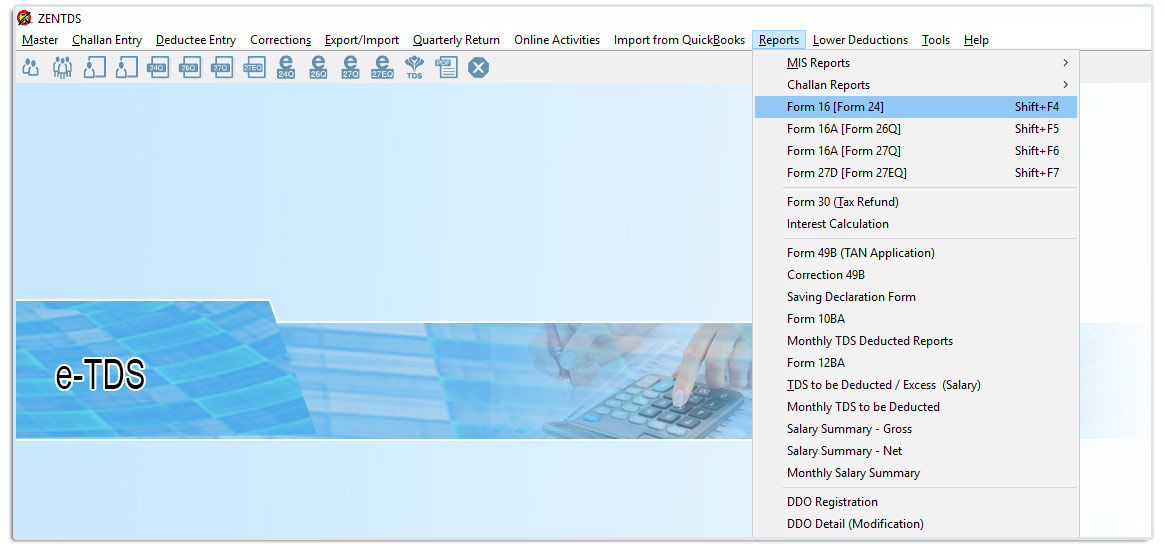
Table of contents Bulk Computation in TDS software New enhanced feature for printing Bulk Computation from TDS software has been provided.Single Computation Pri...
Read More →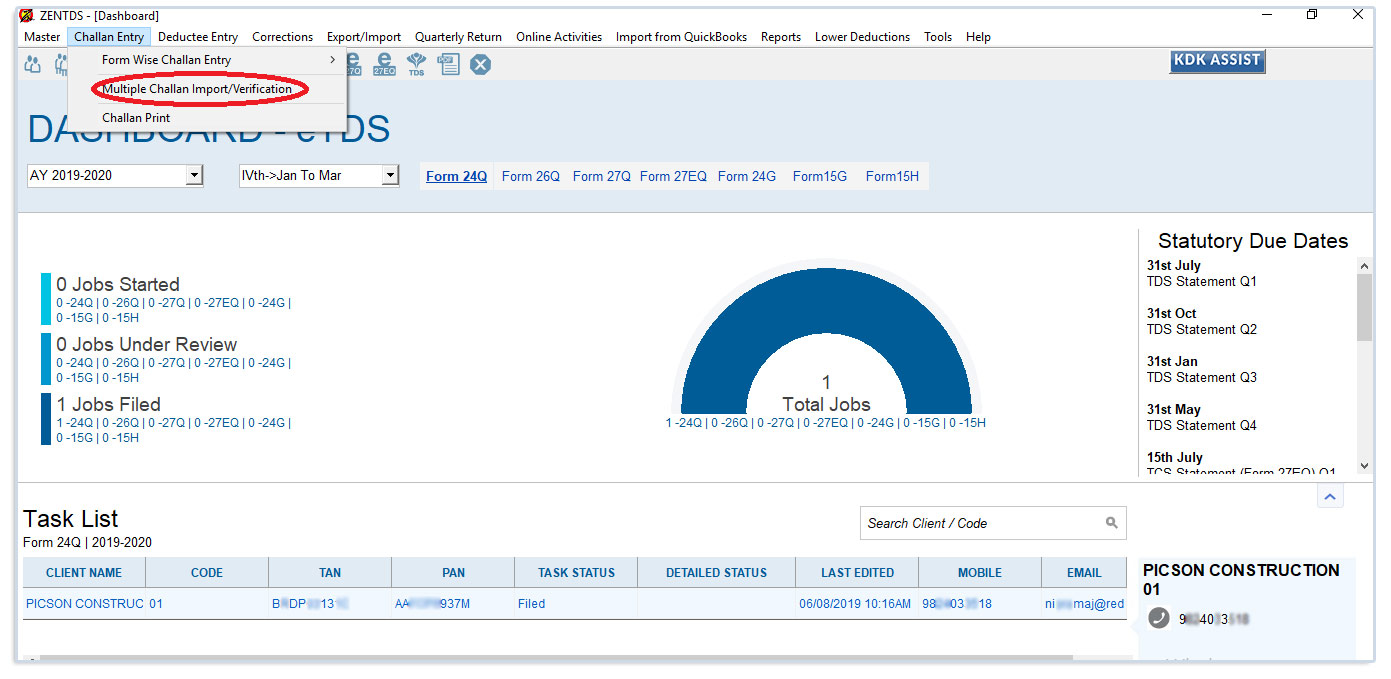
Table of contents Process to import the challan directly in the software: This is a new feature introduced in the TDS software where the Multiple Challan detail...
Read More →Table of contents Process to be followed: The feature allows the user to export all the details related to their existing client in an excel sheet. Process to b...
Read More →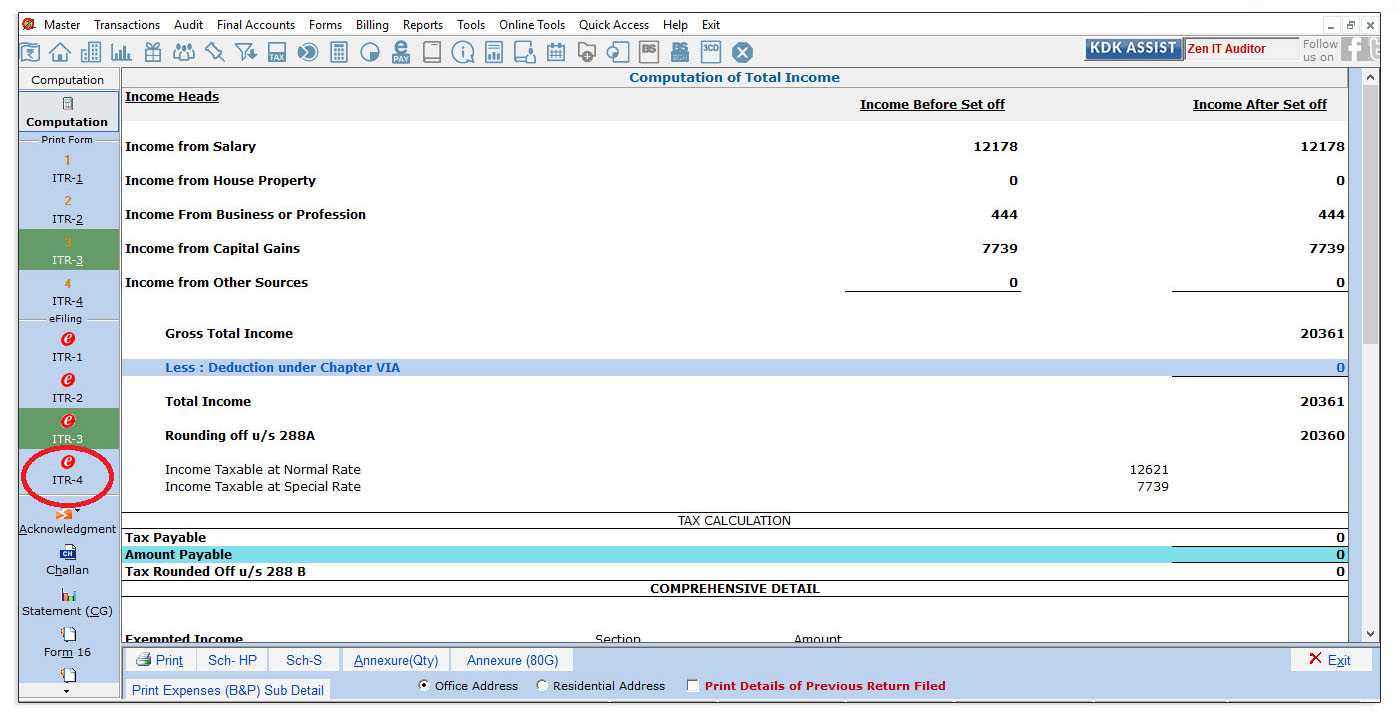
Table of contents Solution : Step 1: Step 2: Important Notes in case of Presumptive Income (44AD / 44AE / 44ADA) who cannot file ITR-4 Income from more than one...
Read More →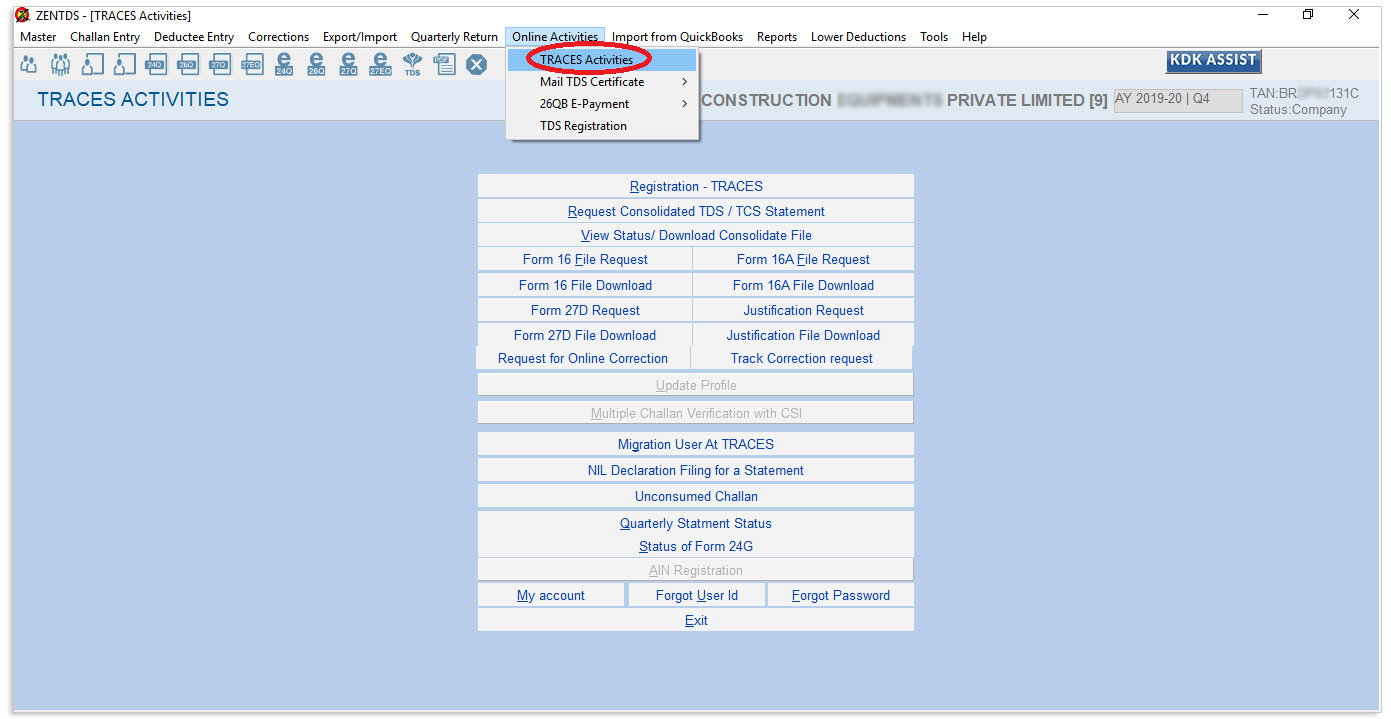
The new rule as introduced by the Income Tax Department discontinues the use of “Challan Modify” or “Add New Challan Details” option in correction return filing...
Read More →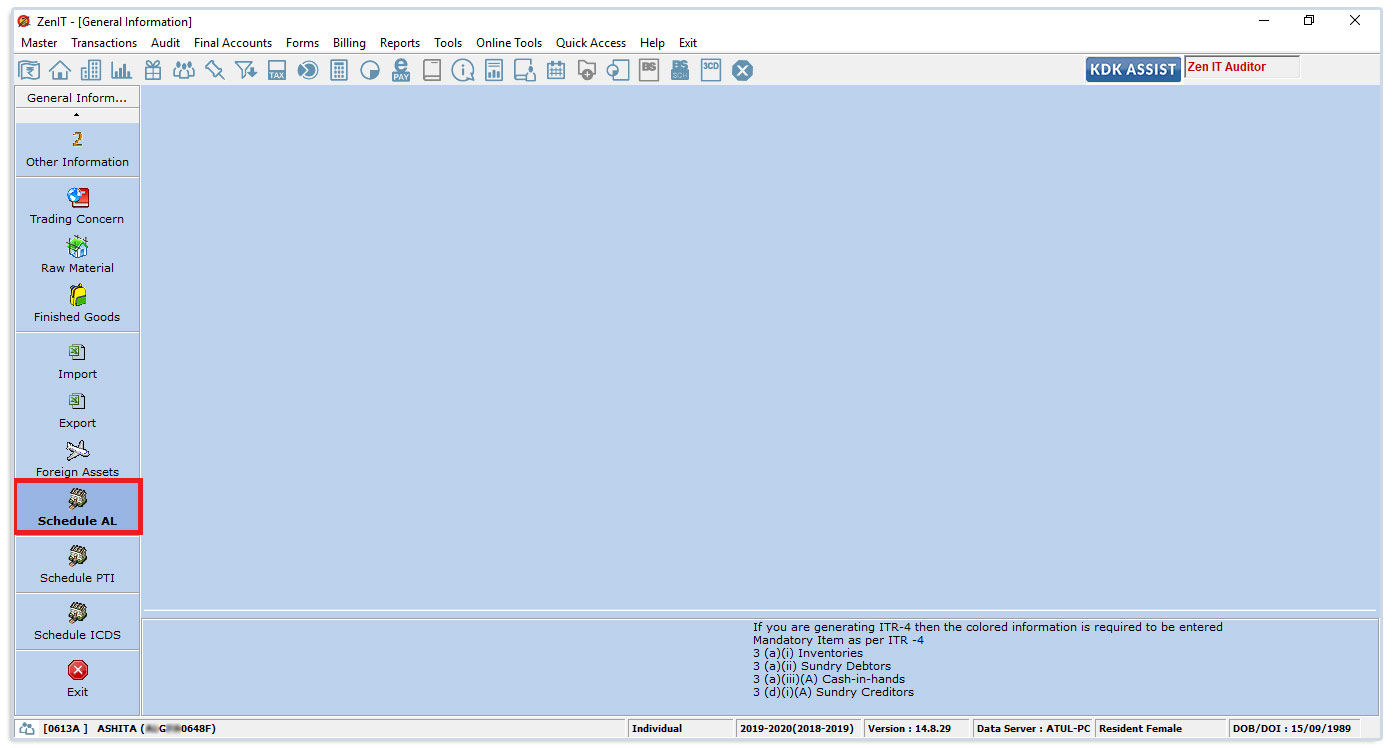
Table of contents What is Schedule Asset and Liabilities and when it is applicable? Where to enter Schedule AL in the Income Tax Software? What is Schedule Asse...
Read More →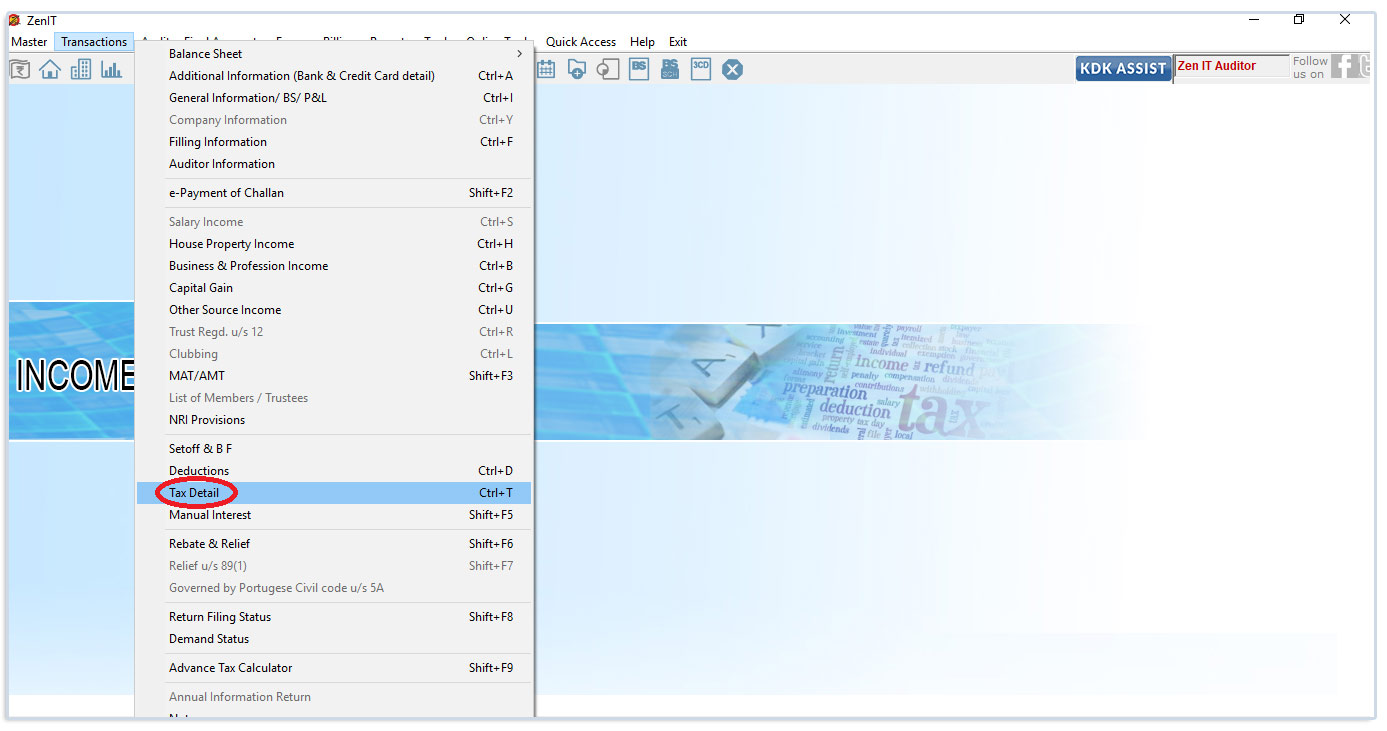
Table of contents Process to Import 26AS directly to IT Software. This feature allows the user to import Advance Tax, TDS / TCS detail and 15G/H details directl...
Read More →
Table of contents Process for offline correction for 24Q, 26Q, 27Q & 27EQ from TDS software Steps to be followed Correction options Add/Delete Salary detail: Ex...
Read More →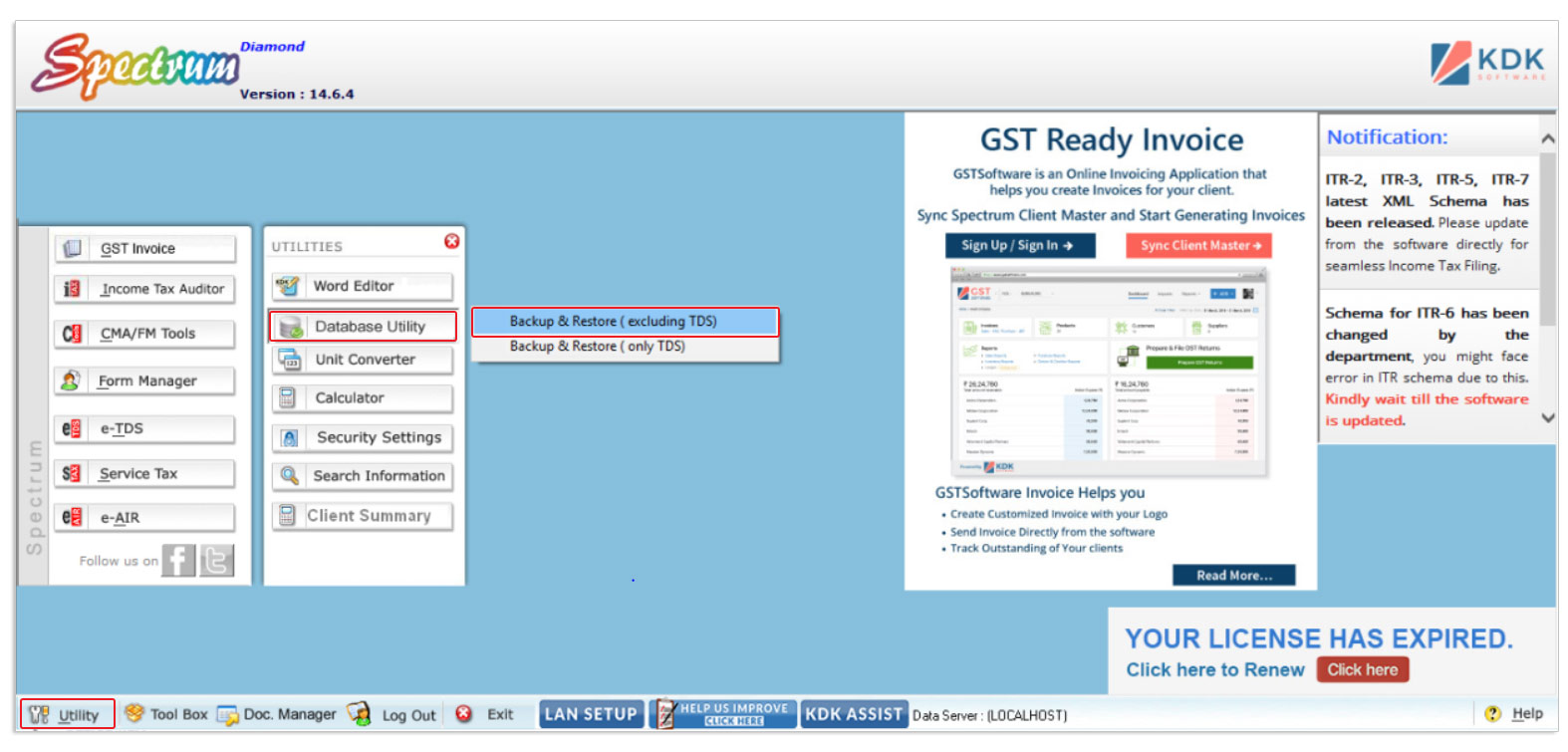
Table of contents Steps to Back up through Software: Manual Process for Back-up: Steps to do Back up for LAN System In the case, if the user wishes to format hi...
Read More →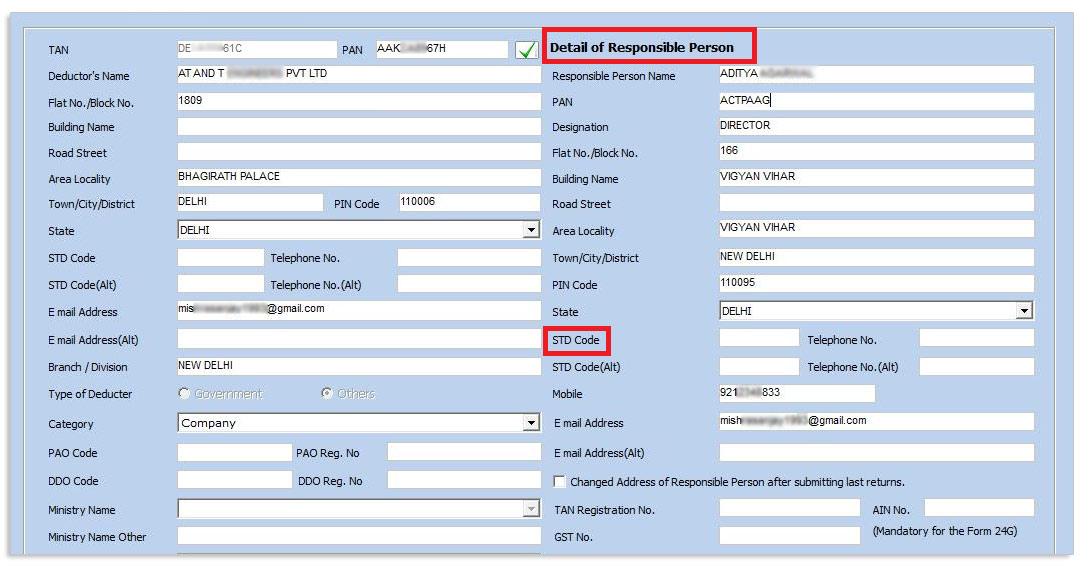
After submitting Original FVU , if any modification for Responsible Person is required, then the same should be corrected in the correction return rather than O...
Read More →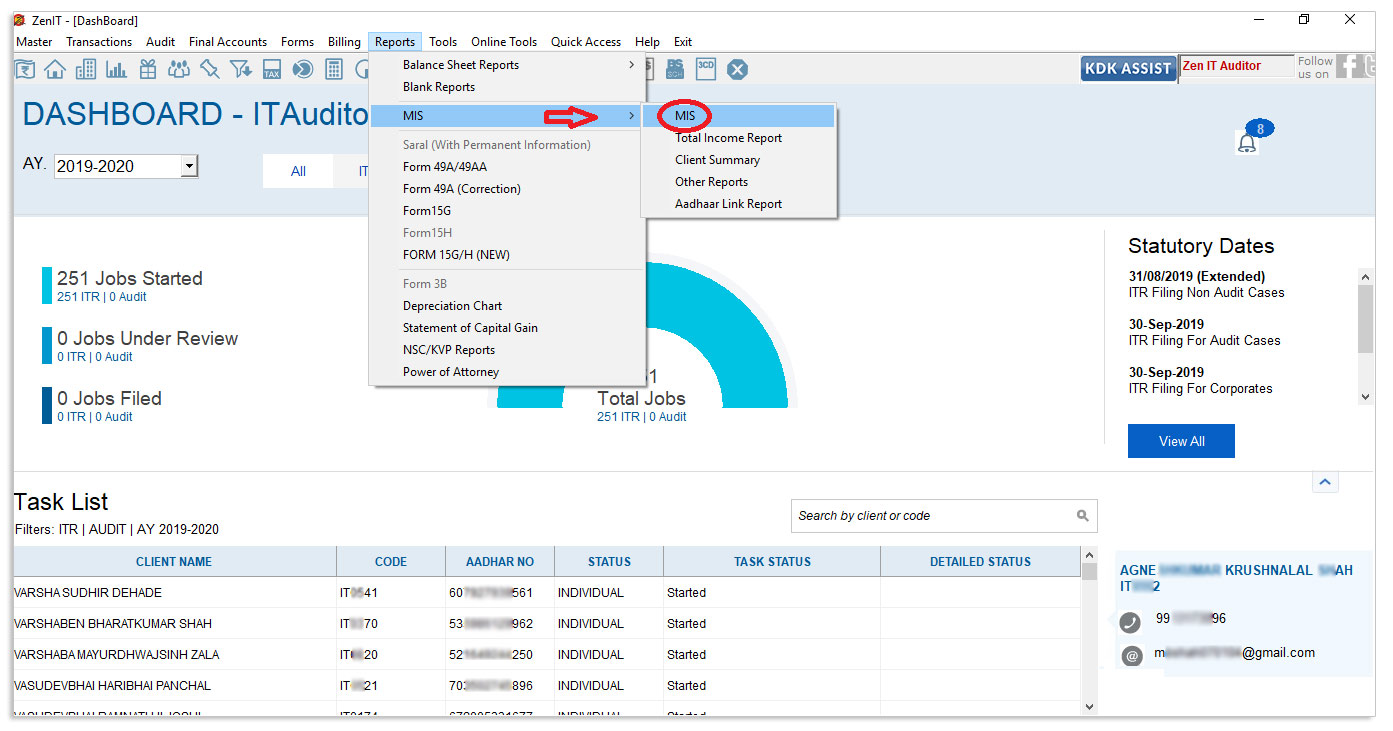
Table of contents How to view reports of filed and pending returns in Income Tax Auditor How to view reports of filed and pending returns in Income Tax Auditor ...
Read More →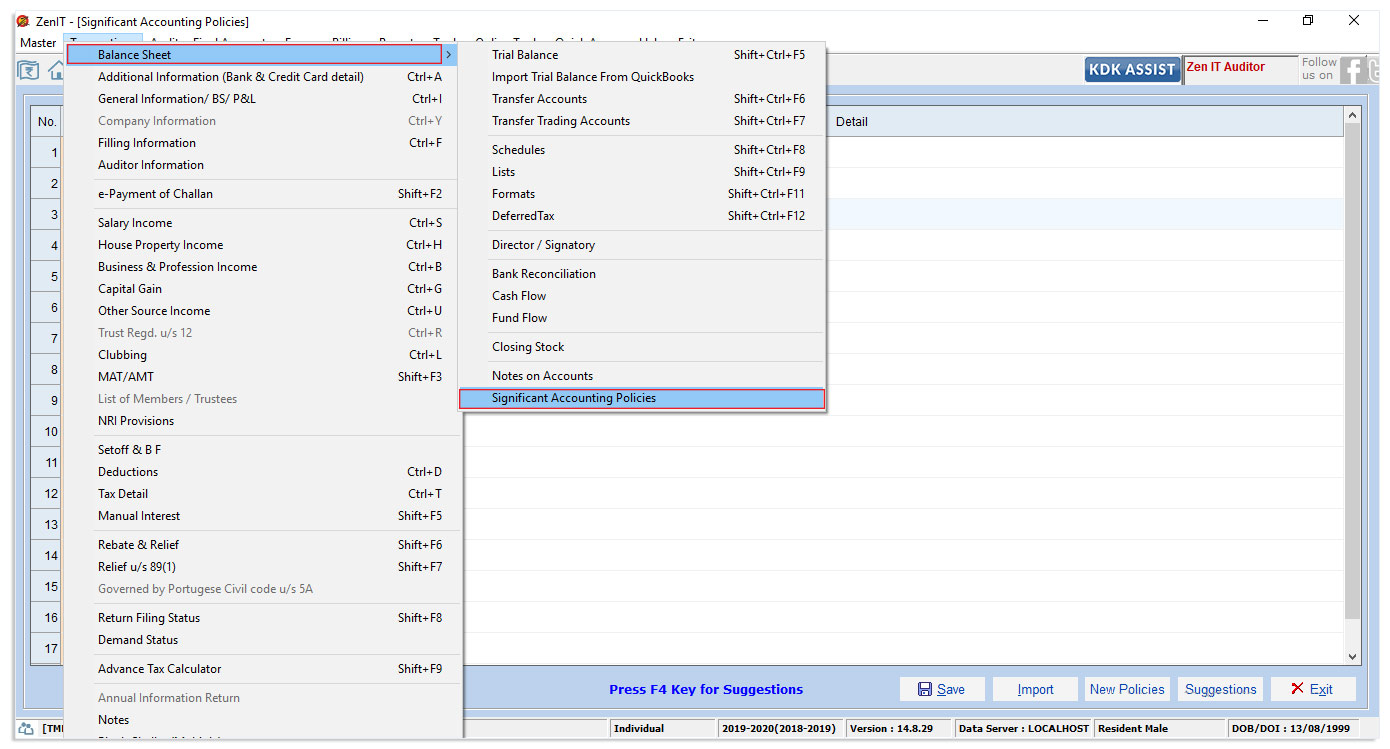
Table of contents How to prepare notes of accounts and significant accounting policies for non-company cases? For Notes of Accounts How to prepare notes of acco...
Read More →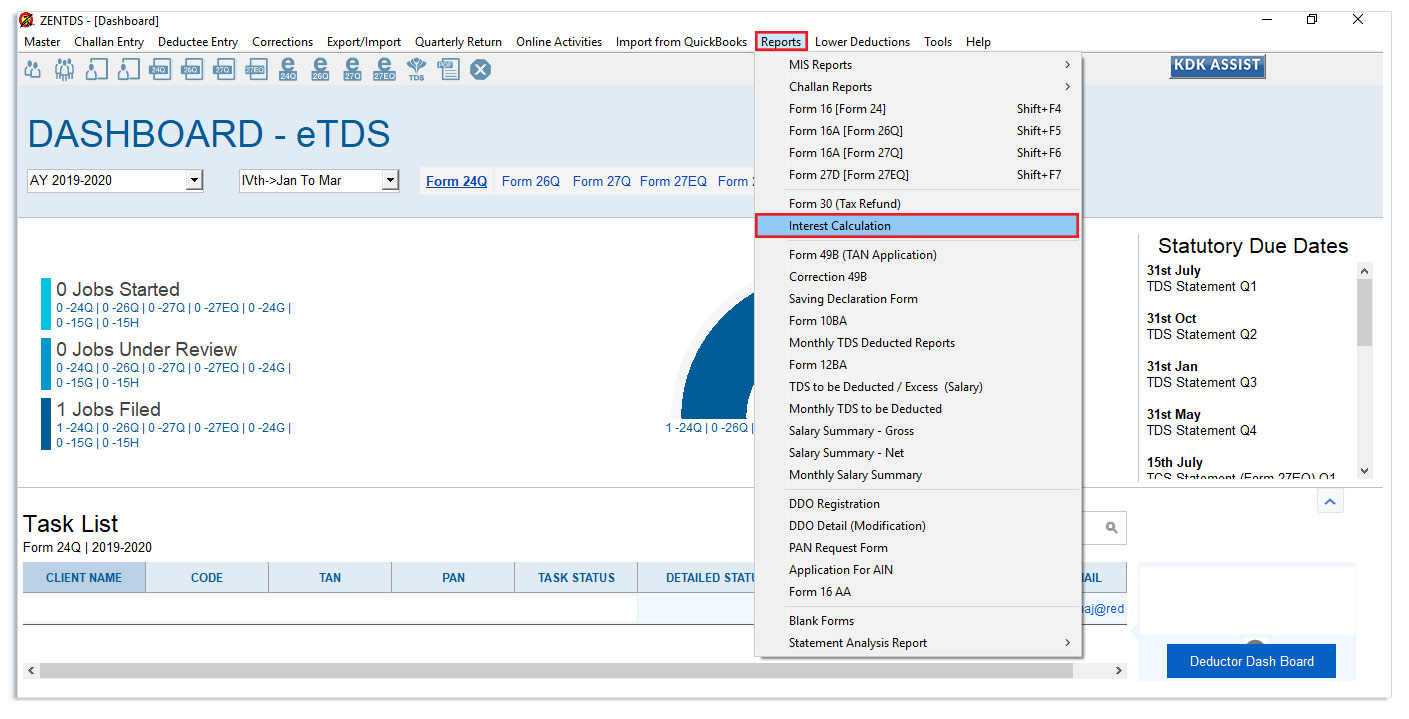
Table of contents How to calculate interest on late deduction and deposit in e-TDS Software To Generate Interest on late deduction report, To Calculate interest...
Read More →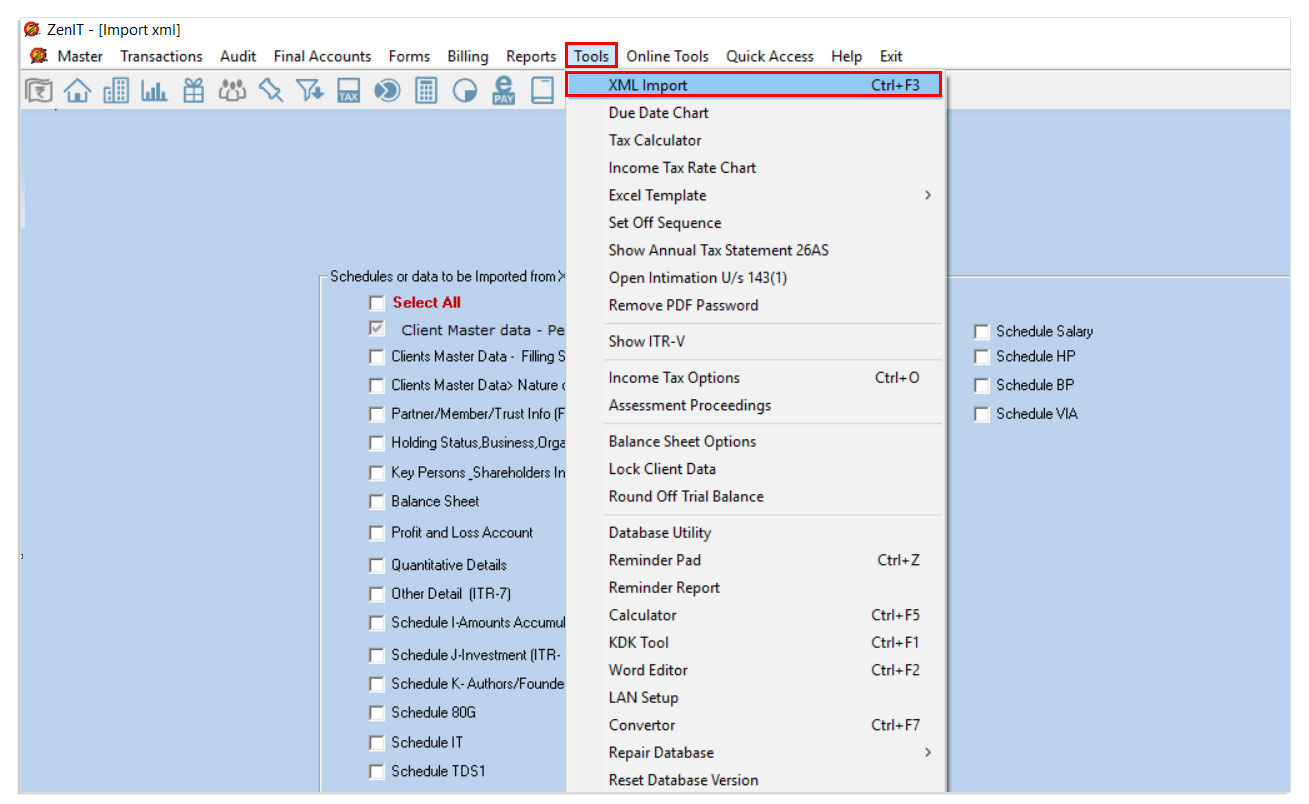
Table of contents Process to import income tax return XML file in Zen IT Auditor: Process to import income tax return XML file in Zen IT Auditor: This feature a...
Read More →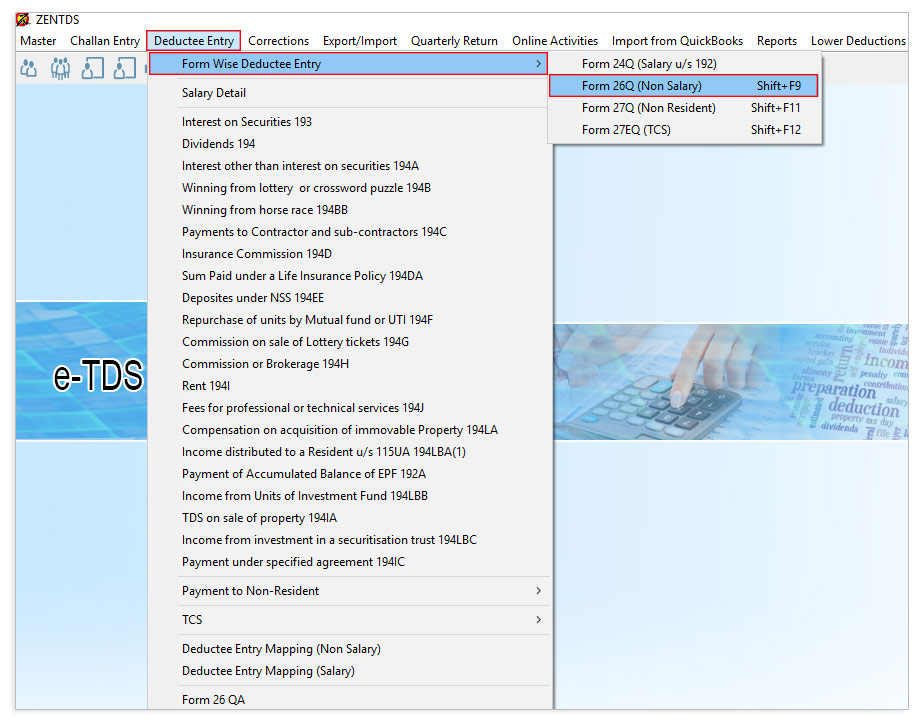
Table of contents To prepare the return “TDS on Payment to Transporter u/s 194C”, follow the steps provided below: Step 1: Open the e-TDS software, Go to Challa...
Read More →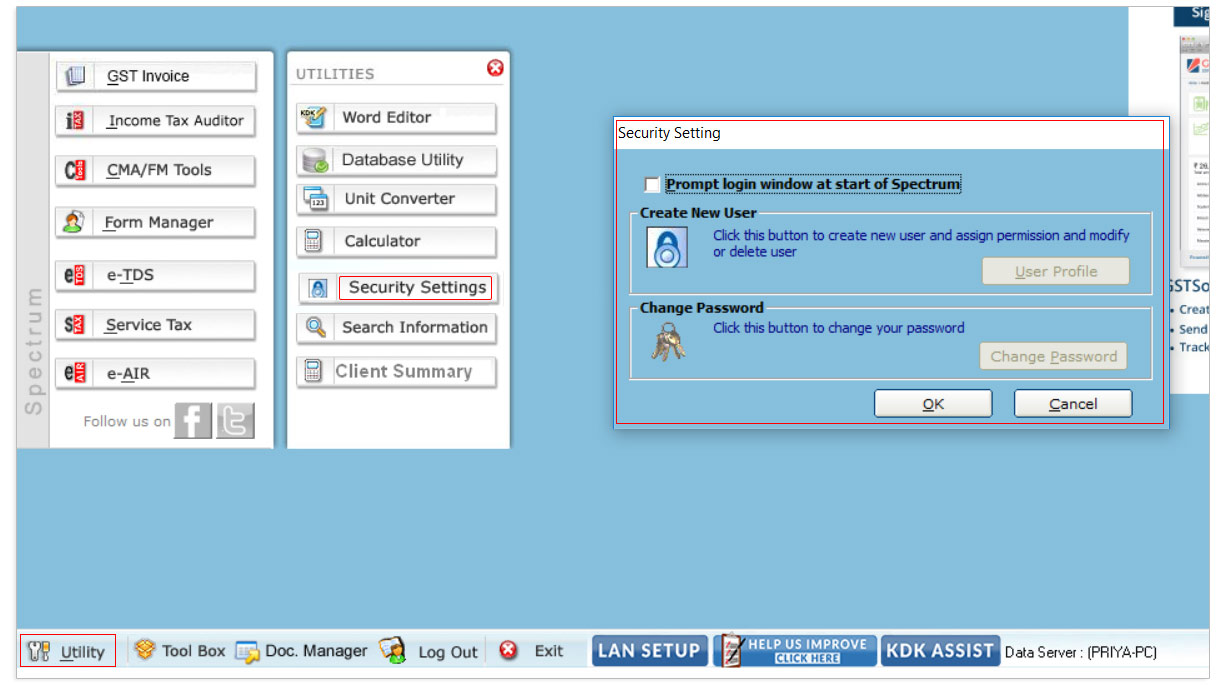
Password Protection for the software The software provides facility to set password for secure login in Spectrum application. This would help any unauthorized p...
Read More →
Table of contents Process to View and Print Bank Details / Capital gain Statement / NSC / KVP Details / TDS details in the computation report. 1. Process to vie...
Read More →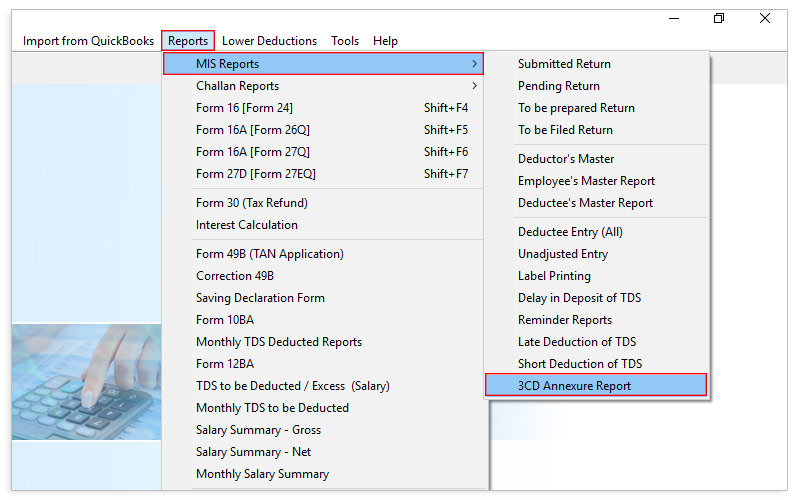
Table of contents Process to export / import 3CD Annexure from TDS to Income Tax Process to export the data from ZEN TDS software Process to import the 3CD Anne...
Read More →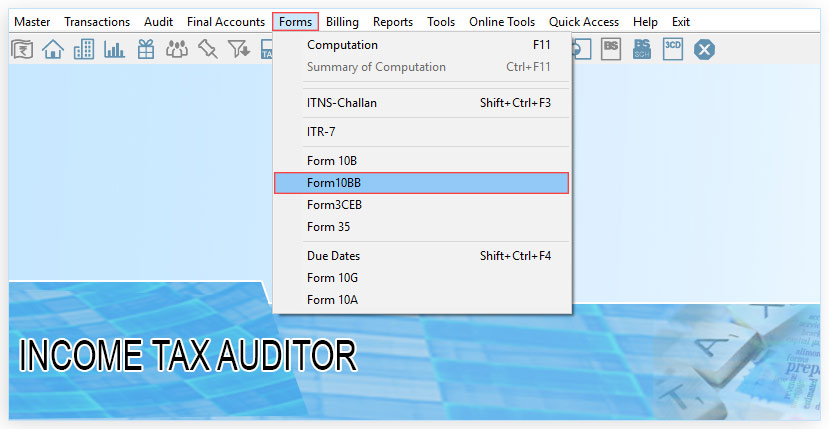
Table of contents What is form 10BB? How to file Form 10BB using ZEN IT Auditor? What is form 10BB? Form 10BB is an audit report under section 10(23C) of the In...
Read More →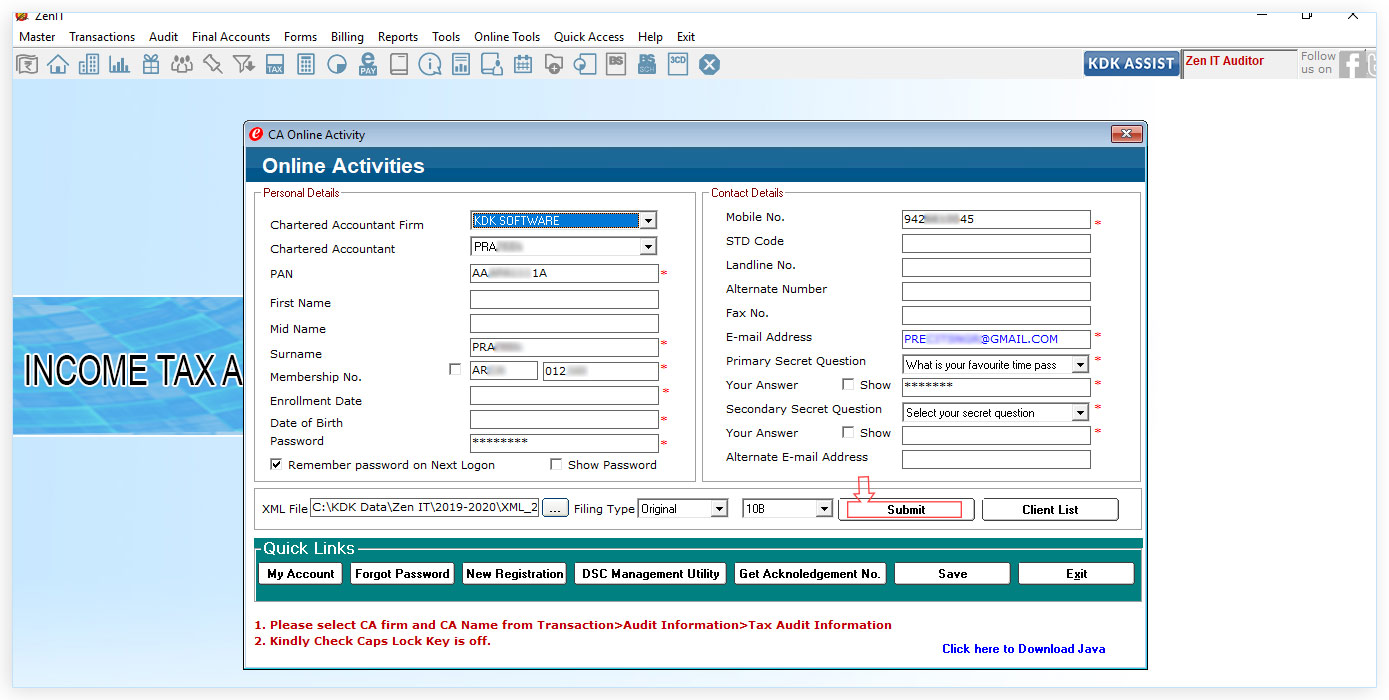
Table of contents Step 1 : Open the Income Tax Auditor Software and Go to Master → Consultant information option given in the menu bar Step 2 : Go to Transactio...
Read More →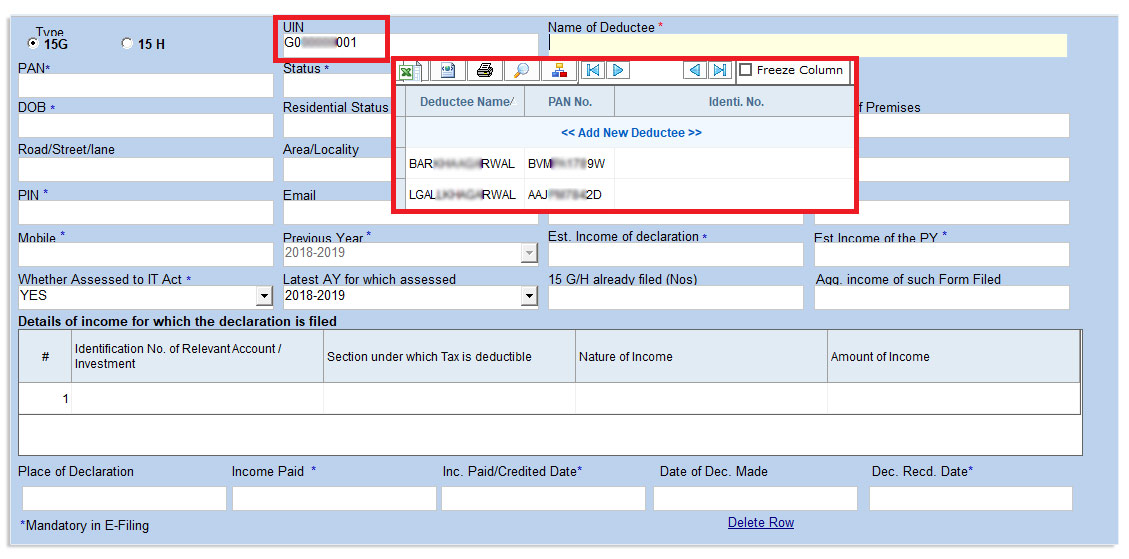
Table of contents 1. What is Form 15G and Form 15H? 2. Conditions you must fulfill to submit Form 15G 3. Conditions you must fulfill to submit Form 15H Process ...
Read More →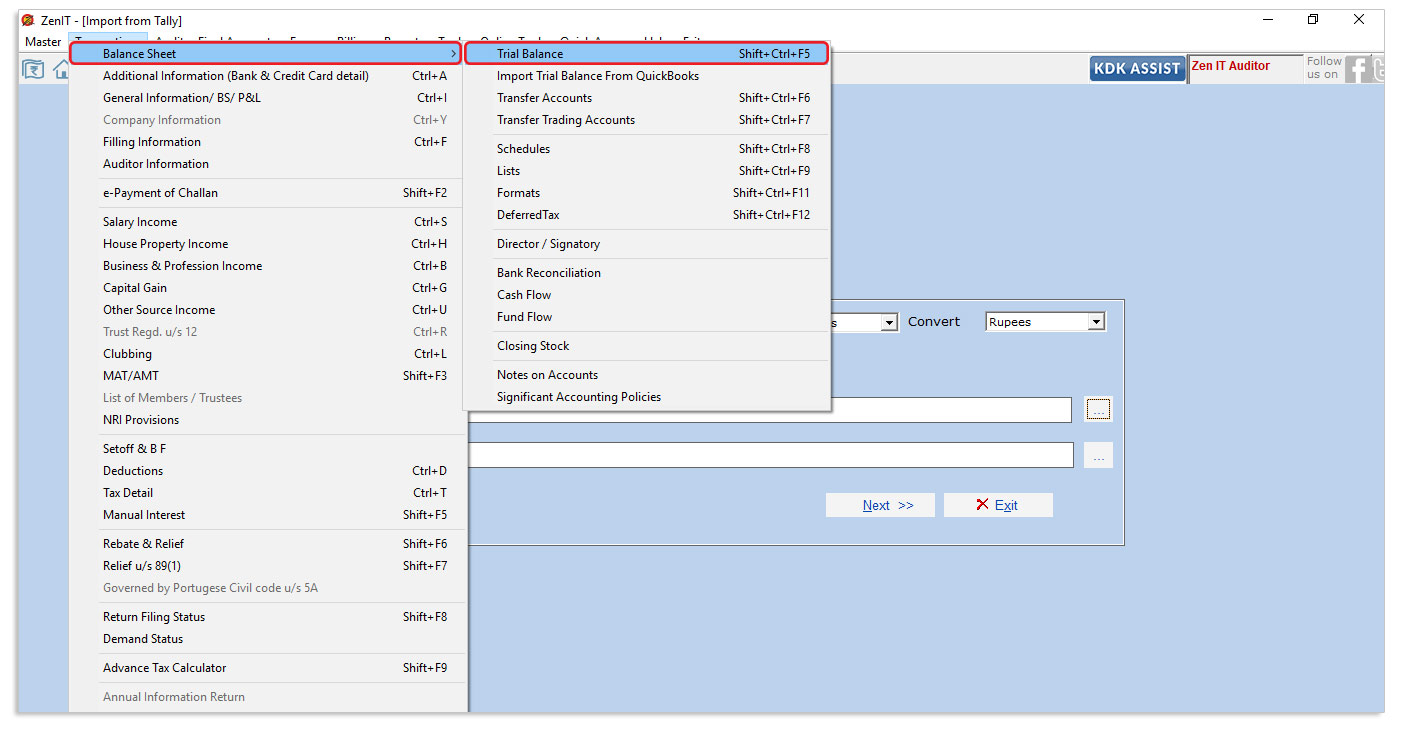
Table of contents Trial Balance direct import from Tally Trial Balance direct import from Tally User can eliminate repetitive work by importing trial balance fr...
Read More →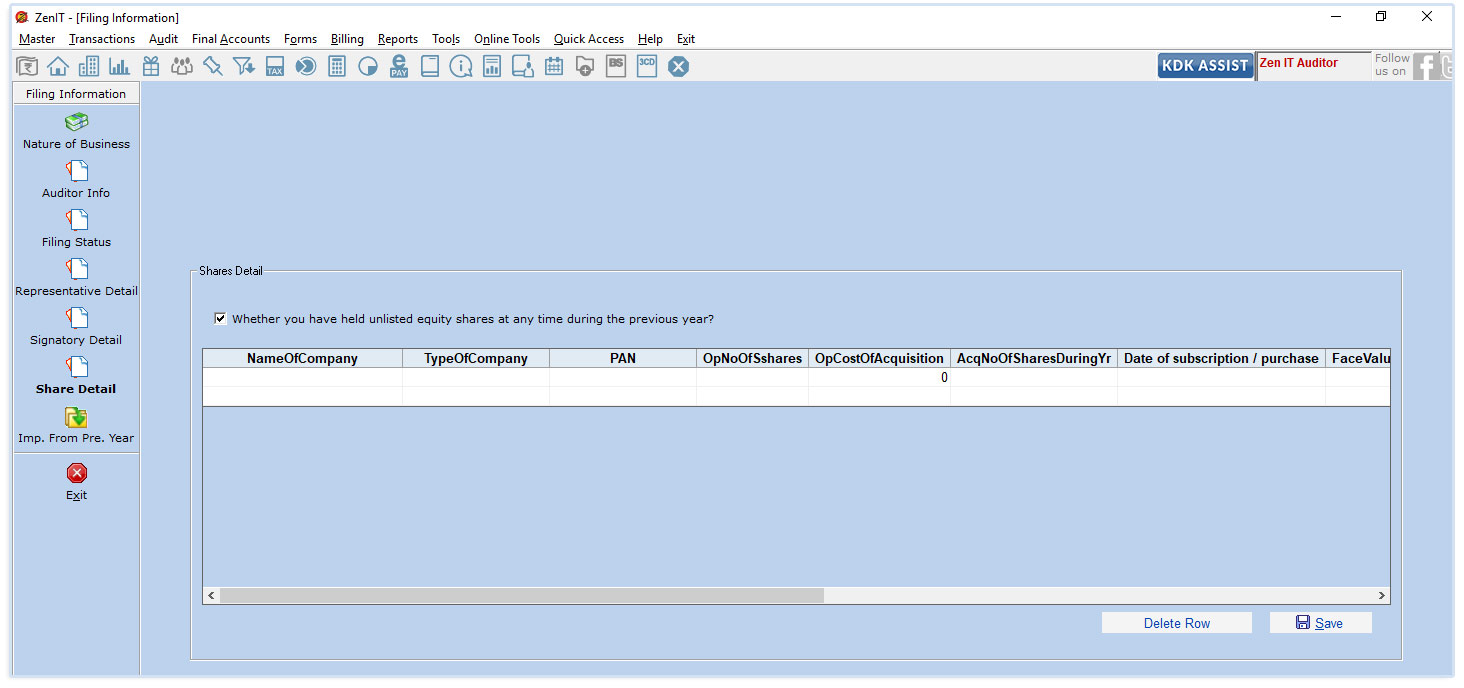
The new income tax return forms (All ITR’s except ITR 1 ,4 and 6) for the assessment year 2019-20 come with a set of changes where more detailed disclosures hav...
Read More →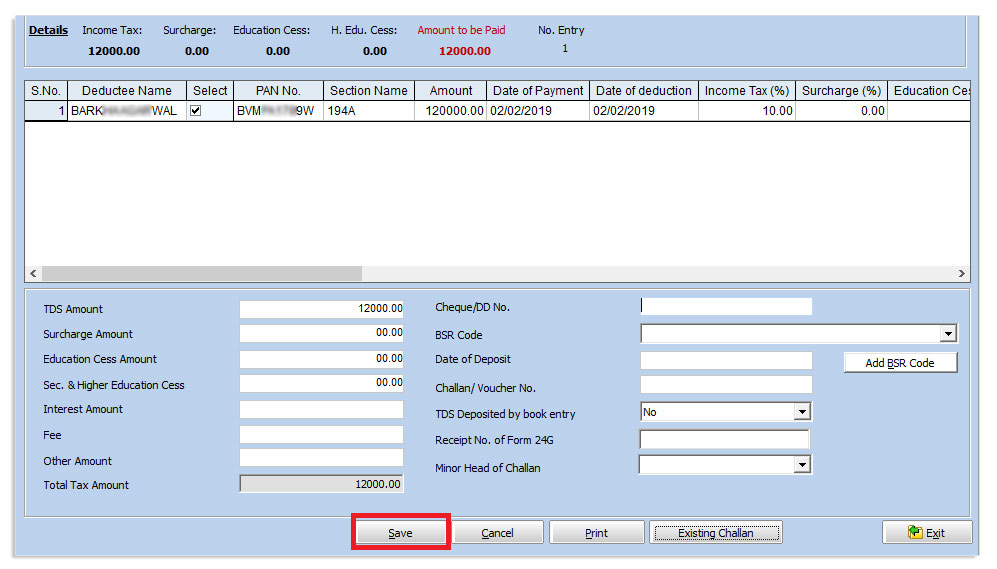
Table of contents ⋅Procedure for Mapping the Deductee /Employee Entries with the Challan. For quarterly e-filing of TDS return, we are required to prepare Deduc...
Read More →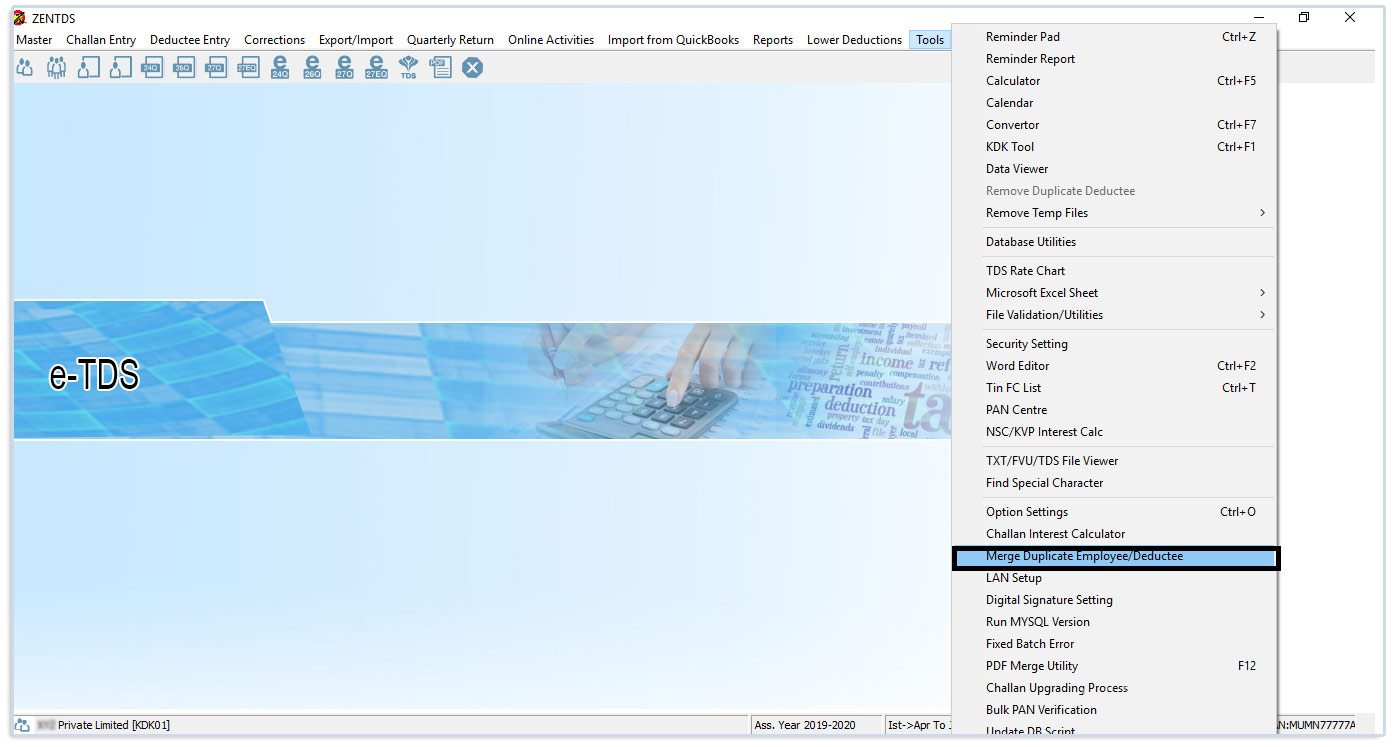
Steps to merge double PAN entries in master of salary and non-salary deductee records in TDS Software : Step 1: Open the TDS software , go to Tools → Merge Dupl...
Read More →
Table of contents 24G e-filing Process through TDS Software Here is what need to be done in order to fill up the 24G form. 24G e-filing Process through TDS Soft...
Read More →
Table of contents What is Form 26QB? To make the payment of Challan 26QB from TDS Software these steps are to be followed. There is three step process: What is ...
Read More →